Work through the simple checks first, then the reset, before you consider opening the frame. This suits anyone whose Ray-Ban Meta glasses show no light and take no charge. You need the charging case, the USB-C cable and the Meta View app.
YouTube video: FIX Your Meta Glasses That Won't Turn On, Won't Charge, No Lights, Reset, Force Reset Meta Gen 2 DIY
Caption availability is unknown. Check the CC control in the YouTube player.
- Video length
- 3 min 1 s
- Time to do it
- 20 minutes
- Difficulty
- Easy
- Steps
- 8
What you need
Steps
Put the glasses in the case and charge for at least 30 minutes with the USB-C cable and a wall adapter. Watch the case light for any sign of power.
Clean the metal contacts on both temples and the pins inside the case with a dry cloth. A cotton swab with a little isopropyl alcohol lifts stubborn grime.
Force a restart by pressing and holding the capture button on the right temple for about 10 seconds. Let go when the light blinks.
Swap the cable and adapter for known good ones, and try a different wall socket. A weak charger or a worn cable is a common reason for no lights.
Open the Meta View app, remove the glasses from your device list, then pair them again from scratch. This clears a stuck connection.
Look for a factory reset option in the glasses settings of the Meta View app and run it. Charge the glasses fully afterwards before testing.
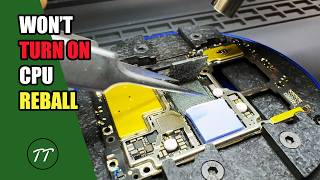
If there is still nothing, the creator opened the frame to check the battery connection inside. Undo the small screws, ease the shell apart and reseat the connector.
Reassemble the glasses, charge them for an hour and try the power button again. If they stay dark, contact Meta support for a repair or replacement.
Tips and common mistakes
Work on a tray with a lip so tiny screws and clips do not roll onto the floor.
Never pry near the battery pouch with a metal tool, since a pierced lithium cell can catch fire.
Do not charge the case in a hot car or in direct sun, as heat shortens battery life.
Take photos at each stage of opening the frame so you know how it goes back together.
Questions
Why do my Meta glasses show no light when charging?
Usually the case has no charge, the cable or adapter is faulty, or the contacts are dirty. Charge the case alone first, then clean the contacts and try again.
Will I lose my photos and settings with a factory reset?
A reset clears pairings and settings on the glasses, so sync any captures to your phone first. Your Meta account and app data stay on your phone.
Does opening the glasses void the warranty?
Yes, opening the frame yourself can void the warranty and risks damaging the battery. Send them to Meta support first if they are still under warranty.
The notes are drafted automatically from video details and general task knowledge. How the guide was prepared
Report a correction