REDMI Note 11 – How to Clean USB-C Charging Port, by HardReset_Pro on YouTube. 3 min 5 s.
- Video length
- 3 min 5 s
- Time to do it
- 15 minutes
- Difficulty
- Easy
- Steps
- 6
What you need
Steps
Unplug the charging cable and turn the phone off completely. Press and hold the Power button, then tap Power off, and wait until the screen goes dark.
Gather a soft-bristled brush, pure isopropyl alcohol and a thin plastic tool. Lay a paper towel down so you have a clean surface to work on.
Dip just the tip of the brush in the alcohol and shake off the excess. The bristles should be damp, not dripping, so no liquid pools inside the port.
Sweep the brush gently through the port in smooth back and forth motions. Aim for 10 to 15 strokes in each direction, and repeat two or three times if the port is very dirty.
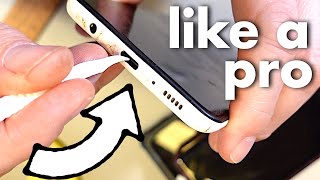
Shine a light into the socket and check the far end with a plastic stick or the burr on a plastic tool. Scrape loose lint toward the opening, but never push it deeper.
Leave the phone sitting open to the air for 10 to 15 minutes so the alcohol evaporates completely. Then power it on and plug in a cable to test the connection.
Tips and common mistakes
Never use a metal pin, needle or SIM ejector inside the port, as it can scratch the pins and short the contacts.
Do not spray or pour alcohol directly into the port. Apply it to the brush only, and keep it away from the microphone and speaker holes.
Skip compressed air, which often pushes debris further in rather than clearing it.
If the phone still will not charge after cleaning, try a different cable and charger before assuming the port is faulty.
Questions
Can I clean the port with a toothpick alone?
Yes, a wooden or plastic toothpick works for loosening lint, but a soft brush dampened with isopropyl alcohol clears the fine dust better. Keep both gentle and avoid metal.
How often should I clean the charging port?
Clean it when charging becomes unreliable or the cable feels loose, which for most people is every few months. If you carry the phone in a dusty pocket or bag, check it more often.
Is it safe to charge the phone right after cleaning?
Only after the alcohol has fully dried, which takes about 10 to 15 minutes. Charging a damp port can cause corrosion or a short.
This guide was drafted from the video's details and general task knowledge. It has not been checked against the full video. Check the video and relevant product instructions before following a procedure. Report a correction.