This guide walks you through opening an Infinix X2 laptop, cleaning its cooling fan, and lubricating the bearing to quiet a noisy fan or free a stuck one. It suits confident beginners with a small screwdriver and a clean workspace. You will need to disconnect the battery before touching the fan.
YouTube video: Fix Infinix X2 Laptop Fan Noise & Not Spinning (No New Fan Needed)
YouTube’s video details do not confirm captions. Check CC in the player for available tracks.
- Video length
- 14 min 5 s
- Time to do it
- 30 minutes
- Difficulty
- Medium
- Steps
- 9
What you need
Steps
Power off the laptop, unplug the charger, and remove the battery if it is removable. Let the laptop cool for 10 minutes before you start.
Ground yourself by touching a bare metal table leg or wear an anti-static strap. Put the laptop face down on a soft, clean cloth.
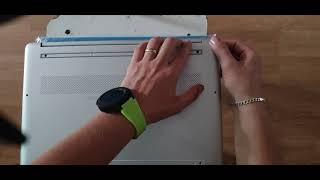
Remove all bottom cover screws with a small Phillips screwdriver and keep them in a cup. Slide a plastic pry tool along the seam and lift the cover slowly.
Disconnect the battery connector from the motherboard before touching the fan. Press the power button for five seconds to drain leftover power.
Find the fan, check the blades for dust, hair, or a trapped cable, and turn the blades gently with a finger. A healthy fan should spin with light resistance.
Blow short bursts of compressed air through the fan and vents while holding the blades still. Brush loosened dust off the blades with a soft brush or cotton swab.
If the fan spins but still whines, peel back the sticker on the fan hub and add one small drop of light machine oil to the bearing. Spin the blades, wipe away excess oil, and reseal the sticker.
Reconnect the battery, plug in the charger, and power on the laptop. Listen to the fan at idle and under load before you refit the bottom cover.
If the fan still does not spin, reseat its connector and check the cable for damage. Refit the cover and screws once the fan runs quietly.
Tips and common mistakes
Never use a household vacuum inside the laptop; it can create static and damage parts.
Do not let compressed air spin the fan freely, as this can damage the bearing.
Use only one drop of light oil; too much oil can attract dust or drip onto the board.
If the blades are cracked or the motor does not turn after cleaning, fit a replacement fan.
Questions
Why is my laptop fan still noisy after cleaning?
The bearing may be worn, or a cable may be touching the blades. Check that the fan spins freely and reseat the connector before you consider a new fan.
Can I use WD-40 to lubricate the fan?
No. Use a small drop of light machine oil, such as sewing machine oil, and keep it away from the circuit board.
How long should the repair take?
Allow about 30 minutes for a first attempt, including cleaning and testing. Work slowly so you do not strip the small screws.
The notes are drafted automatically from video details and general task knowledge. How the guide was prepared
Report a correction