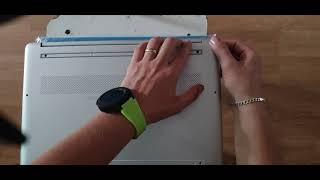
You will open an Asus K401UQ laptop, clear dust from the fan, vents and heatsink, and reseat the RAM to help with overheating and lag. It suits anyone comfortable using a small screwdriver. Work on a clean, static-free table and keep track of every screw.
YouTube video: How To Clean Laptop Inside Properly And Speed Up At Home
YouTube’s video details do not confirm captions. Check CC in the player for available tracks.
- Video length
- 12 min 23 s
- Time to do it
- 30 minutes
- Difficulty
- Medium
- Steps
- 9
What you need
Steps
Power the laptop off, unplug the charger and take out the battery if it is removable. Hold the power button for 10 seconds to drain any leftover charge.
Ground yourself by touching a bare metal radiator or wearing an anti-static strap. Work on a clean table and put the screws in a cup so none go missing.
Flip the laptop over and remove all back cover screws with a small Phillips screwdriver. Note which holes take the longer screws.
Slide a plastic pry tool into the seam and run it around the edge to release the clips. Lift the cover slowly and check for ribbon cables before pulling it away.
Disconnect the battery connector from the motherboard first. Hold the fan blades still with a soft brush or your finger, then blow short bursts of compressed air through the fan and vents.
Brush dust off the fan blades and heatsink fins with a soft anti-static brush. Wipe the fan housing with a lint-free cloth lightly dampened with isopropyl alcohol.
Release the RAM clips, lift each stick out and wipe the gold contacts with isopropyl alcohol. Push each stick back in at an angle until the clips click shut.
Reconnect the battery, press the back cover down until all clips click, and refit the screws. Do not overtighten them.
Turn the laptop on and listen to the fan. Check that it spins freely and that the vents push out warm air.
Tips and common mistakes
Never let compressed air spin the fan freely, as it can damage the bearings.
Keep the air can upright and use short bursts so no liquid propellant sprays onto the board.
Do not use a household vacuum cleaner inside the laptop, because the plastic nozzle can build static.
If the laptop still runs hot after cleaning, the thermal paste may need replacing.
Questions
How often should I clean the laptop fan?
Every 6 to 12 months in a normal home, and more often if you have pets or smoke nearby.
Can I clean the fan with a hairdryer?
No. A hairdryer pushes hot air and static, and it can melt plastic parts. Use compressed air or a soft brush instead.
Do I need to remove the heatsink to clean the fan?
Usually no. Dust can be cleared from the fan and vents without taking off the heatsink, which avoids replacing thermal paste.
The notes are drafted automatically from video details and general task knowledge. How the guide was prepared
Report a correction