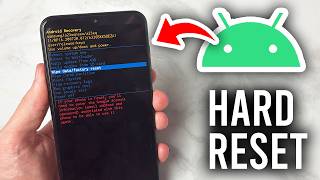
A factory reset wipes the HY300 back to its out-of-box state, which clears a forgotten PIN, stuck apps and odd Wi-Fi behaviour. It suits anyone with a slow, frozen or second-hand projector. You need the projector, its power cable and the remote, and about 10 minutes.
YouTube video: How to Factory Reset HY300 Projector — Step by Step Guide
Caption availability is unknown. Check the CC control in the YouTube player.
- Video length
- 1 min 13 s
- Time to do it
- 10 minutes
- Difficulty
- Easy
- Steps
- 9
What you need
Steps
Plug the projector into mains power and switch it on. Let the home screen finish loading before you touch anything, since a reset needs a steady power supply.
Pick up the remote and press the Settings gear icon on the home screen. If you cannot see it, press the Menu button and choose Settings from the list.
Use the arrow keys to scroll down to System, then open Reset options or Factory data reset, depending on your firmware version.
Select Factory data reset, then choose Erase everything or Reset device. Read the warning on screen before you confirm.
Confirm with OK. The projector shuts down on its own and starts wiping. Leave it plugged in and do not press any buttons.
Wait while it reboots, which can take a few minutes on the first start. The setup screen with the language picker means the reset has worked.
Choose your language and region, then join your Wi-Fi network and enter the password.
Sign in to your Google account and let the projector download any pending updates before you install apps again.
Reinstall your streaming apps, re-pair the Bluetooth remote if it stopped responding, and adjust focus and keystone to suit your screen.
Tips and common mistakes
Keep the power cable connected for the whole reset, as cutting power mid-wipe can leave the projector stuck on the boot logo.
A reset clears saved Wi-Fi networks and accounts, so have your password and login ready before you start.
If the menus will not respond, unplug the projector for 30 seconds, plug it back in and try the reset again.
Second-hand projectors should always be reset before use, so the previous owner's accounts and apps are removed.
Questions
Will I lose my apps and photos?
Yes. A factory reset deletes every installed app, saved account, Wi-Fi password and file stored on the projector. Anything you want to keep should be copied to a microSD card or USB drive first.
Does a reset remove the Android version or firmware updates?
No. It restores the software already on the projector to its default settings. Any firmware update installed earlier stays in place, so you do not need to update again.
Can a factory reset remove a forgotten PIN or pattern?
Yes, provided you can still reach the Settings menu. The reset clears the lock screen along with everything else, and you set a new PIN during setup.
The notes are drafted automatically from video details and general task knowledge. How the guide was prepared
Report a correction