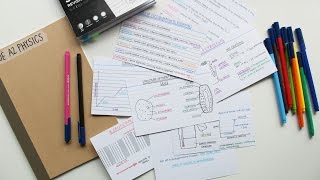
You will use Google Gemini to turn your notes, textbook pages or a PDF into question and answer flashcards you can study or import into an app. It suits students revising for exams and anyone memorising a new topic. You only need a Google account and some source material to paste in.
YouTube video: How To Create Flashcards In Google Gemini (100 % Working)
YouTube’s video details do not confirm captions. Check CC in the player for available tracks.
- Video length
- 2 min 17 s
- Time to do it
- 10 minutes
- Difficulty
- Easy
- Steps
- 7
What you need
Steps
Open gemini.google.com in your browser or the Gemini app and sign in with your Google account. Start a new chat so all your flashcards stay in one conversation.
Paste your source material into the prompt box, or use the attach button to upload a PDF of the chapter. Keep it to one topic per chat for cleaner cards.
Type a clear request with a number and a format, for example: Create 20 flashcards from these notes. Put a question on the front and a short answer on the back.
Add rules to the prompt: one fact per card, no duplicate cards, simple language, and a one-line explanation under each answer.
Read the cards Gemini returns. Ask it to shorten answers, split long multi-part questions, or rewrite anything that sounds vague or confusing.
Ask Gemini to put the cards in a two-column table with Front and Back headings, or as comma-separated text, so they are easy to copy.
Copy the table into Quizlet, Anki or a document. Check each card against your notes before you rely on it, then test yourself and mark the ones you get wrong.
Tips and common mistakes
Keep each card to one idea, because long answers are hard to recall during revision.
Check facts against your own notes, since AI can produce a confident but wrong answer.
Tell Gemini your level, such as high school biology or beginner Spanish, so the wording matches what you need.
Ask for harder questions in a follow-up prompt once the first set feels too easy.
Questions
Do I need a paid Gemini plan to make flashcards?
No. The free version of Gemini handles note-to-flashcard requests well. Paid tiers mainly add longer inputs and newer models, which you may want for very large PDFs.
Can Gemini export cards straight into Anki or Quizlet?
Not directly. Ask for a table or CSV-style list, then copy or import that text into your flashcard app using its import screen.
How many flashcards should I ask for at once?
Start with 15 to 25 cards per topic. Smaller batches are easier to check, and you can ask for more from the same notes afterwards.
The notes are drafted automatically from video details and general task knowledge. How the guide was prepared
Report a correction