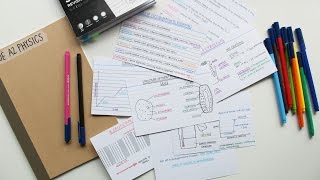
You can build a flashcard deck in Brainscape without typing every card by hand. The app's AI turns your notes, textbook pages and plain topics into ready-made cards. It suits students revising for exams or memorising vocabulary, and you need a Brainscape account and the app or website.
YouTube video: I Made 10,000 Flashcards… Here’s How AI Does It Faster
YouTube’s video details do not confirm captions. Check CC in the player for available tracks.
Choose a chapter (9)
- Video length
- 4 min 54 s
- Time to do it
- 10 minutes
- Difficulty
- Easy
- Steps
- 7
What you need
Steps
Open Brainscape and sign in, or create a free account if you are new.
Start a new flashcard creation and choose the AI option rather than typing cards manually.
To use your own material, paste your notes or upload a file into the AI import field.
For textbook or lesson content, add the pages or text you want covered and let the AI split it into cards.
If you have no notes, type a topic name and let the AI generate cards from scratch.
Review the generated cards, edit any that are unclear or wrong, then save the deck.
Study the deck with Brainscape's spaced repetition so cards you miss come back sooner.
Tips and common mistakes
Check AI-made cards before studying, since generated facts can be wrong or too vague.
Keep each card to one question or fact so recall stays quick.
Write cards in your own words where you can, as it helps you remember them.
Questions
Do I need to pay to make AI flashcards in Brainscape?
The video does not state pricing. Check the app or website for current free limits before you start.
Can I edit the cards the AI creates?
Yes. Review each generated card and fix or delete any that are unclear before you save the deck.
What file types can I import?
The video mentions importing notes and files but does not list exact formats, so check the import screen in the app.
The notes are drafted automatically from video details and general task knowledge. How the guide was prepared
Report a correction