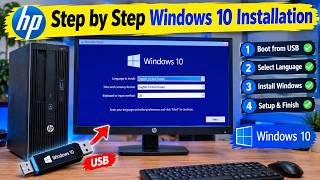
You will download the Windows 10 ISO, write it to a USB flash drive, boot your PC from that drive and run a clean installation. It suits beginners setting up a fresh system. You need an 8 GB or larger USB drive and a working PC to prepare it.
YouTube video: How to Create Windows 10 Bootable USB | Download & Install Windows 10 Step by Step
YouTube’s video details do not confirm captions. Check CC in the player for available tracks.
- Video length
- 13 min 54 s
- Time to do it
- 1 hour
- Difficulty
- Medium
- Steps
- 9
What you need
Steps
Back up your files. A clean install wipes the drive you install Windows on, so copy anything you want to keep to another disk.
Download the Windows 10 ISO from Microsoft's official download page. Save it to a folder you can find easily.
Plug in the USB drive and open Rufus or the Media Creation Tool. Select the USB drive as the target device.
Point the tool at the Windows 10 ISO, keep the default partition and file system settings, then click Start to write the image.
Restart the PC and open the boot menu. On most machines this is F12, F11 or Esc at startup, or change the boot order in BIOS.
Pick the USB drive from the boot menu. The Windows Setup screen loads after a short wait.
Choose your language and keyboard layout, then click Install now. Enter your product key when asked.
Select Custom: Install Windows only, pick the target drive and confirm. Setup copies files and restarts several times.
Follow the on-screen setup to create your account, connect to Wi-Fi and finish the first boot.
Tips and common mistakes
Use a USB drive you can erase, since writing the ISO deletes everything on it.
Keep the PC plugged in during installation so it does not shut off mid-copy.
If the USB does not appear in the boot menu, check that it is set as the first boot device in BIOS.
Questions
How big should the USB drive be?
An 8 GB drive is enough for the Windows 10 ISO. Larger drives work too.
Will a clean install delete my files?
Yes, the drive you install Windows on is wiped. Back up personal files to another disk first.
Do I need a product key?
You can install and run Windows 10 without entering a key, but activation needs a valid license.
The notes are drafted automatically from video details and general task knowledge. How the guide was prepared
Report a correction