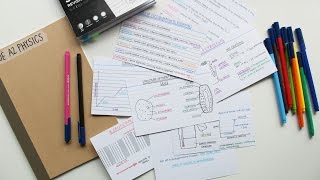
A concept map turns a topic into a diagram of ideas linked by labelled arrows, so you can see how everything fits together. This guide walks you through seven steps, from brainstorming to a finished map you can revise from. It suits any student working from lecture notes, slides or a textbook, and needs only paper and a pen or a mapping app.
YouTube video: How to Create a Concept Map
Caption availability is unknown. Check the CC control in the YouTube player.
- Video length
- 2 min 1 s
- Time to do it
- 20 minutes
- Difficulty
- Easy
- Steps
- 9
What you need
Steps
Write your main topic in the centre of the page. Use the wording from your course outline or syllabus so the map stays focused on what you will be tested on.
Brainstorm everything you know about the topic from lectures, notes and readings. Put each idea on its own sticky note or line, keeping it to a few words.
Sort the brainstorm into main points. Aim for three to six big headings that between them cover most of your ideas.
Draw a branch from the centre to each main point. Then add supporting details as smaller branches coming off each main point.
Look for links between ideas on different branches. Draw an arrow between them and label it with a short verb or phrase, such as leads to or causes.
Use colour, symbols and small sketches to separate themes. Add definitions, equations or simple diagrams wherever they make an idea clearer.
Review the map and ask how the ideas fit together, whether every link is accurate and logical, and what is missing. Redraw any branch that does not sit right.
Explain the map out loud as if teaching a classmate. Wherever you stumble or pause, add detail or rebuild that section.
Keep updating the map as the course goes on and your understanding improves. Rework it before exams and use it to test yourself.
Tips and common mistakes
Keep each node to a few words, because full sentences make the map slow to scan.
Hand drawing is fine and often faster than software while you are still brainstorming.
Spread your branches out so you have room to add details in later weeks.
Label every linking arrow, since that label is what separates a concept map from a plain mind map.
Questions
What is the difference between a concept map and a mind map?
A mind map branches out from a single centre and the links are usually unlabelled. A concept map adds labelled arrows between branches, so it shows how ideas relate to each other.
Should I draw it by hand or use software?
Either works. Paper is quick for brainstorming and exams, while tools like CmapTools, Miro or Draw.io help when you need to rearrange and update a large map often.
How much detail should a concept map have?
Enough that you could explain each branch to someone else. If you cannot say why two ideas are connected, add the missing detail or remove the link.
The notes are drafted automatically from video details and general task knowledge. How the guide was prepared
Report a correction