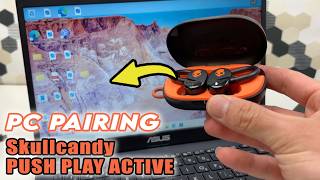
How to connect AWEI T71 earbuds to laptop, by IT Magics on YouTube. 1 min 1 s.
- Video length
- 1 min 1 s
- Time to do it
- 5 minutes
- Difficulty
- Easy
- Steps
- 8
What you need
Steps
Charge the earbuds and the case first. A low battery is the most common reason pairing fails or the earbuds drop off the list.
Turn on Bluetooth on your laptop. On Windows 11, open Settings, then Bluetooth and devices, and switch Bluetooth on.
Put the AWEI T71 earbuds into pairing mode. Take both buds out of the case and hold the touch area on each bud until the light flashes quickly.
On Windows, click Add device, then Bluetooth. On a Mac, open System Settings, then Bluetooth.
Wait for the earbuds to appear in the list. They usually show as AWEI T71 or a similar AWEI name.
Click the earbud name to pair. Accept any pairing prompt that appears on screen.
Set the earbuds as the output device. On Windows, click the speaker icon in the taskbar and pick the AWEI entry. On a Mac, choose them in Sound settings.
Play a short audio clip to test. If you hear nothing, check the volume and confirm the earbuds are still connected.
Tips and common mistakes
Keep the earbuds within about a metre of the laptop while pairing.
If the earbuds do not show up, turn Bluetooth off and on again, then repeat pairing mode.
Remove old paired devices you no longer use so the list stays short and easy to read.
Keep the case lid open during pairing so the buds stay awake.
Questions
Why do my AWEI T71 earbuds not appear in the Bluetooth list?
They are probably not in pairing mode or the battery is low. Charge them, take both buds out and hold the touch control until the light flashes fast, then search again.
Can I connect the earbuds to two laptops at once?
Most true wireless earbuds connect to one device at a time. Disconnect or forget the earbuds on the first laptop before pairing with the second.
How do I disconnect the earbuds from my laptop?
Open Bluetooth settings, find the AWEI entry and choose Disconnect or Remove device. Put the buds back in the case to switch them off.
This guide was drafted from the video's details and general task knowledge. It has not been checked against the full video. Check the video and relevant product instructions before following a procedure. Report a correction.