How to Combine Scanned Documents into PDF Free Full Guide 2026, by How To Solve Pro on YouTube. 1 min 20 s.
- Video length
- 1 min 20 s
- Time to do it
- 15 minutes
- Difficulty
- Easy
- Steps
- 8
What you need
Steps
Scan each page at 300 dpi and save the files as JPG or PNG. Name them 01, 02, 03 so the order stays clear.
Put all the scanned files in one folder and check each page is readable, straight and not cut off at the edges.
Open your free PDF tool, such as PDF24 Creator, and choose the option to create a PDF from image files.
Add the scanned images in the order you want them to appear. Drag the thumbnails to fix any pages that are out of sequence.
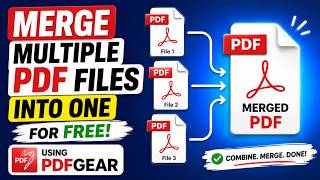
If your scans are already separate PDFs, use the merge or combine tool instead and add each PDF file to the list.
Set the page size to A4 or Letter to match your original documents, then check the preview of the first and last page.
Click Save or Create PDF, choose a clear file name and pick a folder you can find again.
Open the finished PDF and scroll through every page to confirm nothing is missing, upside down or blank.
Tips and common mistakes
Scan at 300 dpi for text documents; higher settings make huge files with little gain in clarity.
Keep the original scans until you have checked the merged PDF, in case a page needs rescanning.
If the file is too large to email, use the compress or reduce file size option in the same PDF tool.
Scan black and white text pages in grayscale rather than colour to cut file size.
Questions
Can I do this without installing any software?
Yes. On Windows you can select the scanned images in File Explorer, right click, choose Print and pick Microsoft Print to PDF as the printer. It saves all selected pages as one PDF.
Will merging the scans reduce the quality?
No, combining files does not usually change the image quality. Quality only drops if you choose a compression setting, so leave compression off unless the file is too big.
Can I combine scans that are already PDFs with new image scans?
Yes. Most free PDF tools let you add both PDF files and images to the same list, then save the whole set as one document.
This guide was drafted from the video's details and general task knowledge. It has not been checked against the full video. Check the video and relevant product instructions before following a procedure. Report a correction.