Dust clogged fans make an HP Victus run hot and loud. This guide walks you through opening the bottom cover, clearing the fan blades and vents, then putting it back together. It suits anyone with a few basic tools and half an hour to spare.
YouTube video: HP Victus Fans Clean #laptopdoctor #laptoprepairbangalore #victus #hp #fan #recent #hpvictus #viral
Caption availability is unknown. Check the CC control in the YouTube player.
- Video length
- 2 min 45 s
- Time to do it
- 30 minutes
- Difficulty
- Medium
- Steps
- 9
What you need
Steps
Shut the laptop down, unplug the charger and close the lid. Work on a clean, flat table so you do not lose the screws.
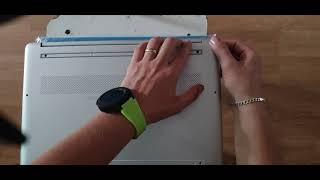
Turn the laptop over and remove every screw from the bottom cover with a Phillips #0 screwdriver. Drop them into a cup so they stay together.
Slide a plastic pry tool into the seam along the back edge and work it around the cover. Lift the panel off slowly once the clips pop.
Disconnect the battery connector from the motherboard before touching anything else. This cuts power to the fans and the board.
Hold each fan blade still with a finger or the handle of a brush, then blow short bursts of compressed air through the fins.
Brush dust off the blades and the copper heat pipes with a soft antistatic brush. Wipe the vents in the bottom cover too.
Check the rear and side exhaust vents. Loosen any matted dust with a toothpick or brush, then blow it clear.
Reconnect the battery, set the cover back in place and press the clips down. Refit all screws and tighten them in a cross pattern.
Power the laptop on and listen. The fan should spin smoothly and the machine should run quieter under load.
Tips and common mistakes
Never let compressed air spin the fan freely, because the bearings can overspeed and wear out.
Hold the air can upright and use short bursts so you do not spray liquid propellant onto the board.
Clean every 6 to 12 months if you use the laptop on a bed or carpet, where dust builds up faster.
Do not press a vacuum nozzle onto the board, since static can damage the components.
Questions
Can I clean the fan without opening the laptop?
You can blow dust out of the vents and brush the outside, but most dust sits on the fan blades inside. A proper clean means removing the bottom cover.
Will this void my HP warranty?
In many countries opening the case does not void the warranty unless you damage something. Check your local HP terms first if the laptop is still covered.
How do I know the fans need cleaning?
The laptop gets hot, the fan runs loud even at idle, or the vents look matted with dust. Those are the usual signs.
The notes are drafted automatically from video details and general task knowledge. How the guide was prepared
Report a correction