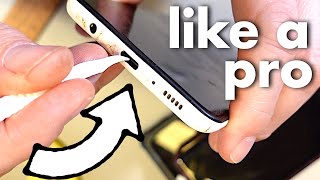
Fix Loose Phone Charger Port: Quick Cleaning Tip!, by Switched On Network on YouTube. 2 min 31 s.
- Video length
- 2 min 31 s
- Time to do it
- 10 minutes
- Difficulty
- Easy
- Steps
- 8
What you need
Steps
Power off the phone and unplug the charger. A dead phone is safer to poke around in and you avoid shorting the contacts.
Shine a bright light into the charging port. Look for grey or brown lint packed at the back, which is what stops the plug going all the way in.
Straighten a paperclip and bend a tiny hook at one end. Keep the hook small so it fits inside the port without touching the side pins.
Gently scrape the hook along the back wall of the port and pull out the lint. Work slowly and do not push hard against the metal contacts.
Tap the phone face down on your palm to shake loose dust out. Do this over a table so you can see what comes out.
Blow a short burst of compressed air into the port if you have it. Hold the can upright and keep it a few centimetres away.
Plug the charger back in and check the fit. The cable should click in and stay put when you wiggle it gently.
Repeat the scrape and tap if the plug still feels loose. Stubborn lint often comes out in a few passes.
Tips and common mistakes
Never use a wet cloth, water or liquid cleaner inside the port, as it can damage the contacts.
Use a plastic toothpick or SIM tool instead of metal if you are worried about scratching the pins.
If the port still feels loose after cleaning, the fault may be the cable or the port itself, so try another cable first.
Questions
Can I damage my phone by cleaning the port with a paperclip?
Yes, if you push hard against the metal pins. Use a light touch, keep the hook small and stay near the back wall of the port.
How often should I clean the charging port?
Clean it when the cable feels loose or charging cuts out, or roughly every few months if you keep the phone in a pocket or bag.
Will this work on an iPhone with a Lightning port?
Yes, the same lint builds up in Lightning and USB-C ports. Just be extra gentle because the pins sit close together.
This guide was drafted from the video's details and general task knowledge. It has not been checked against the full video. Check the video and relevant product instructions before following a procedure. Report a correction.