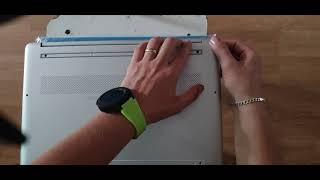
This guide shows you how to lift dust, crumbs and sticky marks off a mechanical keyboard while the keycaps stay in place. It suits anyone with a grimy board and about ten spare minutes. You only need compressed air, a microfiber cloth, a cotton swab and a little soapy water.
YouTube video: Clean Your Mechanical Keyboard (WITHOUT Removing the Keys)
Caption availability is unknown. Check the CC control in the YouTube player.
- Video length
- 3 min 51 s
- Time to do it
- 10 minutes
- Difficulty
- Easy
- Steps
- 8
What you need
Steps
Unplug the keyboard from your computer, or switch it off if it is wireless. Never spray or wipe a board that is still powered on.
Turn the keyboard upside down over a bin and shake it gently. This drops loose crumbs and dust out from between the keys.
Hold the compressed air can upright and give short bursts at an angle between the rows of keys. Keep the nozzle a few centimetres away and move along the board.
Wipe the keycaps and the frame with a dry microfiber cloth to pick up the dust the air loosened.
Dip a corner of the cloth in soapy water and wring it out until it is barely damp. Wipe the tops of the keycaps and the case, then dry with a clean part of the cloth.
Dampen a cotton swab in the soapy water and squeeze off the excess. Run it around the edges of each keycap and into the gaps to lift built-up grime.
Use a fresh dry swab to soak up any moisture left in the gaps. Pay attention to the space bar and the edges of the case.
Leave the keyboard to air dry for a few minutes, then plug it back in and test a few keys.
Tips and common mistakes
Keep the air can upright so it does not spit cold liquid onto the keys.
Use short bursts of air, not one long spray, to avoid pushing debris deeper under the keycaps.
Never pour or spray water directly onto the keyboard, and keep the cloth only slightly damp.
Clean the board every few weeks so dust and crumbs never build up into sticky grime.
Questions
Can I really get a keyboard clean without pulling the keycaps?
Yes, for dust, crumbs and surface marks. Sticky spills or grit under the keycaps need the caps removed, which is a separate job.
Can I use a vacuum cleaner instead of compressed air?
A vacuum on low power with a brush nozzle works for loose dust. Keep the nozzle off the keys themselves so you do not pull any caps off.
Is rubbing alcohol safe on keycaps?
A little is fine on most plain plastic caps, but test a hidden spot first. Skip it on printed or coated caps, since it can dull the lettering.
The notes are drafted automatically from video details and general task knowledge. How the guide was prepared
Report a correction