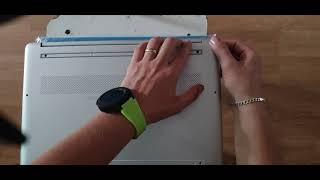
This guide shows you how to clear dust from a MacBook Pro 13 inch 2020 keyboard with a compressed air duster. It suits anyone with a Magic Keyboard that feels fine but looks dusty between the keys. You only need a can of air and a soft cloth, and the job takes a few minutes.
YouTube video: Cleaning Macbook keyboard with compressed air (Air duster) - Macbook Pro 13 inch 2020
Caption availability is unknown. Check the CC control in the YouTube player.
- Video length
- 1 min 21 s
- Time to do it
- 5 minutes
- Difficulty
- Easy
- Steps
- 7
What you need
Steps
Shut down the MacBook and unplug the charger, cables and any accessories. Wait a minute so the keyboard is cool and dry before you start.
Hold the can upright and fit the thin straw nozzle. Check the instructions for your exact model before choosing this setting or amount.
Tilt the laptop slightly toward you or hold it at a gentle angle. This helps dust fall out instead of settling back between the keys.
Spray short bursts of one to two seconds while moving along each row of keys. Work from left to right, then repeat on the next row.
Angle the straw so the air blows under the key edges, not straight down. Do not hold the can upside down or shake it while spraying.
Wipe the keycaps and the palm rest with a soft, lint-free cloth. Do not use water, sprays or kitchen cleaners on the keyboard.
Check the gaps in good light and repeat light bursts on any dusty spots. Let the laptop sit for a few minutes before you power it on.
Tips and common mistakes
Keep the can upright and never tip it, because liquid propellant can spray out and chill the keys.
Use short bursts, not one long spray, so you do not push dust deeper or waste the can.
Do not use a household vacuum on the keyboard, as static can damage the laptop.
Clean every few months if you eat at the desk or notice dust in the gaps.
Questions
Can I take the keycaps off to clean under them?
No, on a MacBook Pro 13 inch 2020 the keys are fragile and easy to break. Clean the gaps with short bursts of air instead.
What if dust is still stuck after spraying?
Use a soft, dry brush or a lint-free cloth along the gaps. Do not poke metal tools into the keyboard.
Can I use the air duster on the screen or ports?
Keep it for the keyboard and vents. Do not spray into ports, and use a dry cloth for the screen.
The notes are drafted automatically from video details and general task knowledge. How the guide was prepared
Report a correction