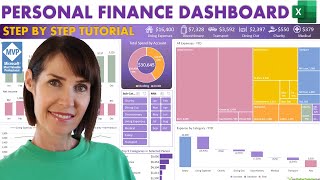
Create an Excel Dashboard to Easily Track Budget and Actuals with Variances, by Leila Gharani on YouTube. 22 min 23 s.
- Video length
- 22 min 23 s
- Time to do it
- 45 minutes
- Difficulty
- Medium
- Steps
- 9
What you need
Steps
Put your actual figures in an Excel table on one sheet. Keep one row per month and one column per category, and add a clear header row.
Set up a second sheet for budget figures with the same months and categories. Keep the labels consistent so formulas can match them later.
On a new dashboard sheet, create a month drop-down with Data > Data Validation > List. Point the list at your month column.
Use XLOOKUP to pull actual values for the selected month and category. If your actual table has three lookup columns, match all three so you get the correct row.
Pull budget values with XLOOKUP or INDEX/MATCH, matching both the month row and the category column.
Calculate variance as actual minus budget, and calculate percentage variance as variance divided by budget. Format the results as numbers and percentages.
Insert a column chart that compares actual and previous year or budget values for the selected month. Add the category labels to the horizontal axis.
Add a bar chart for the variance. Turn on Invert if negative and set positive bars to green and negative bars to red.
Change the month drop-down and check that formulas, chart titles and bars all update. Fix any #N/A errors by checking matching labels.
Tips and common mistakes
Use an Excel Table for source data so new rows are included when formulas and charts update.
If you do not have XLOOKUP, use INDEX and MATCH with the same row and column matches.
Keep month names and category names identical across sheets; extra spaces cause lookup errors.
Skip the optional Zebra BI add-in if built-in Excel charts cover your needs.
Questions
Do I need XLOOKUP to build this dashboard?
No. XLOOKUP is quicker, but INDEX and MATCH can pull the same values in older Excel versions.
How do I add a new month without breaking the dashboard?
Add the new row inside the Excel Table. Formulas that reference table columns should expand automatically; check the drop-down range if needed.
Can I compare actuals with both budget and last year?
Yes. Add separate budget and previous-year columns, then include both series in the column chart and variance calculations.
This guide was drafted from the video's details and general task knowledge. It has not been checked against the full video. Check the video and relevant product instructions before following a procedure. Report a correction.