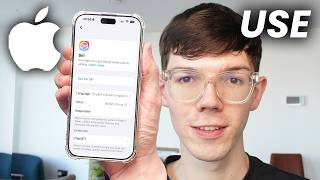
IOS 27.3 beta 2 adds Face and Lock on Close for iPhone Duo, plus Siri AI Ask About Page in Safari and video podcasts in the Apple TV app. This guide walks you through turning each one on and checking your Siri AI limits. It suits anyone already running the beta who wants to try the new tools.
YouTube video: Face ID on iPhone Duo!? Everything NEW in iOS 27.3 Beta 2!
Caption availability is unknown. Check the CC control in the YouTube player.
Choose a chapter (8)
- Video length
- 8 min 37 s
- Time to do it
- 15 minutes
- Difficulty
- Easy
- Steps
- 7
What you need
Steps
Back up your iPhone to iCloud or a computer first, then install the beta through Settings, General, Software Update. Beta software can misbehave, so keep a recent backup.
Open Settings, go to Face ID & Passcode and set up Face so the iPhone Duo unlocks when you look at it.
Turn on Lock on Close so the phone locks the moment you fold it shut instead of waiting for the auto lock timer.
In Safari, open any page and use Ask About Page to have Siri AI summarise the article or answer questions about what you are reading.
Open the Apple TV app and look for the video podcasts section to watch shows with picture instead of only listening.
Try the haptics on setting so the phone gives a short tap when face succeeds.
Check Settings, Apple Intelligence & Siri to see how much Siri AI you get, since the limit depends on your iCloud plan.
Tips and common mistakes
Do not install a beta on your only phone without a backup, since some features may break apps you use daily.
Features in a beta can change or disappear before the public release, so avoid relying on them for work.
Wipe the front camera lens now and then, because face fails in low light or with a smudged sensor.
Check your Siri AI usage before a long session, as the cap is tied to your iCloud plan.
Questions
Do I need an iPhone Duo to use these features?
Face and Lock on Close are built for the iPhone Duo. The Safari Ask About Page tool, video podcasts and Siri AI limits work on other iPhones running the same beta.
Will these features be in the public release?
Not guaranteed. Beta features are often changed, renamed or pulled before the final version ships, so treat them as a preview.
Why does Siri AI stop working after a while?
Siri AI usage is capped, and the cap varies with your iCloud plan. You can check where you stand in the Apple Intelligence & Siri settings.
The notes are drafted automatically from video details and general task knowledge. How the guide was prepared
Report a correction