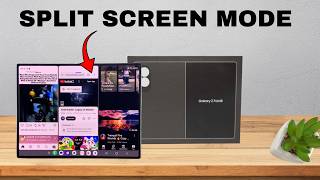
Split screen lets you keep a note open beside a web page, book or PDF so you can write without switching apps. This guide suits anyone taking notes on an iPad mini or any recent iPad. You only need your note app and one other app installed.
YouTube video: OLED iPad mini 2026 30 Most Useful Features You Didn’t Know!
Caption availability is unknown. Check the CC control in the YouTube player.
Choose a chapter (31)
- Video length
- 23 min 42 s
- Time to do it
- 5 minutes
- Difficulty
- Easy
- Steps
- 7
What you need
Steps
Open your notes app first, then swipe up slowly from the bottom edge of the screen to bring up the Dock without closing the app.
Touch and hold a second app icon in the Dock, drag it to the left or right edge of the screen, and let go when the two windows snap side by side.
Drag the divider between the windows left or right to give your notes more room while you write.
To keep a reference app on top instead, drag it from the Dock toward the middle of the screen and release to make a floating window.
Open Control Center, tap the Stage Manager button, then drag windows into sets so you can switch between a research layout and a writing layout.
Inside a note, use three fingers: swipe left to undo, swipe right to redo, pinch in to copy and spread out to paste.
Write in the notes half with Apple Pencil. Math Notes solves handwritten sums, and auto-refine tidies up rough handwriting.
Tips and common mistakes
Keep your notes app in the Dock so you can pull it into split view in one motion.
If an app will not split, it may only support Slide Over or full screen, so try Safari or Files instead.
Stage Manager is better than split view when you need three or more windows open at once.
Swipe up and hold to reach the App Switcher when you want to swap the app on one side quickly.
Questions
Can I open the same app twice in split view?
Many Apple apps, including Notes and Safari, let you drag a second window to the edge again. Support varies in third-party apps, so test yours before relying on it.
Does Apple Pencil work in split screen?
Yes. The Pencil writes in whichever window you touch, so you can scribble notes while a book or web page stays open beside it.
How do I go back to one full screen app?
Drag the divider all the way to one side, or tap the three-dot menu at the top of the window and choose full screen.
The notes are drafted automatically from video details and general task knowledge. How the guide was prepared
Report a correction