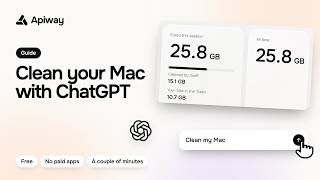
Let an AI coding agent scan your drive, delete junk files and move big old folders to a second drive. This suits Windows users with a full C drive and a spare drive, and needs Claude Code or Codex installed on the PC itself.
YouTube video: How to Let Claude or ChatGPT Clean Up Your Computer
Caption availability is unknown. Check the CC control in the YouTube player.
- Video length
- 1 min 11 s
- Time to do it
- 20 minutes
- Difficulty
- Medium
- Steps
- 8
What you need
Steps
Back up anything you cannot lose to an external drive or cloud folder before you start. An AI agent can delete files, so a backup is your safety net.
Open Claude Code on your desktop, or Codex if you use ChatGPT. It must run on the computer itself, because browser chat cannot see your files.
Paste a clear prompt. Say: scan my computer, find what is taking up space, delete junk that rebuilds itself, move big old files to my other drive, and ask before touching anything personal.
Name your drives if you have a second one, for example C for the full drive and E for the target. Leave that part out if you only have one drive.
Let the agent scan the drive and read its list of large folders and files. Check that your backups, photos and app data are marked as keep.
Approve the cleanup in stages. Start with obvious junk like Temp folders and video-editor preview or cache files, then review the moves.
Confirm each move of old projects to the other drive, and check a few files open correctly afterwards.
Check free space in File Explorer, then empty the Recycle Bin once you are happy nothing needed was removed.
Tips and common mistakes
Never approve a delete you do not understand. Ask the agent to explain the folder first.
Keep backups and personal documents out of scope by naming them in the prompt.
Run the cleanup in small batches so you can stop if something looks wrong.
Junk like Temp files rebuilds over time, so repeat the scan every few months.
Questions
Can I do this with normal ChatGPT in a browser?
No. Browser chat cannot read your disk. You need an agent that runs on your computer, such as Claude Code or Codex.
Will it delete my personal files?
It should not if you tell it to ask before touching anything personal. Still review each action and keep a backup.
Do I need a second drive?
No. Skip the move step and let the agent only delete junk and caches to free space on one drive.
The notes are drafted automatically from video details and general task knowledge. How the guide was prepared
Report a correction