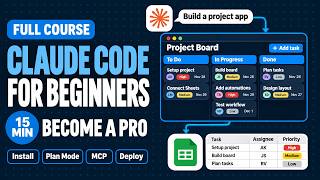
Claude's live artifacts turn a chat reply into an editable page you can comment on and share with one link. This guide walks you through the five artifact types, from Claude Docs to dashboards and slides, and shows how to get useful results fast. It suits anyone who uses Claude and wants shareable output without extra tools.
YouTube video: Claude’s New Artifacts Are Amazing (Master it in 15 minutes)
Caption availability is unknown. Check the CC control in the YouTube player.
Choose a chapter (9)
- Video length
- 14 min 55 s
- Time to do it
- 15 minutes
- Difficulty
- Easy
- Steps
- 9
What you need
Steps
Open a new chat in Claude and describe the output you want in plain words. Say what the page is for, who reads it and what sections it needs.
Ask Claude to build it as an artifact. A live page appears in the panel next to the chat instead of a wall of text.
For a document, use Claude Docs. Request headings, a summary and any tables, then edit the text directly in the artifact panel.
For a dashboard, use the five-step framework: pick the goal, list the metrics, describe the data, set the layout and ask for charts.
For a slide deck, use Claude Slides. Give the number of slides, the audience and the key point for each one.
For animation or motion pieces, use Claude Motion. Describe the movement, timing and style you want.
For visual layouts, open the Claude Design canvas and ask for a page or poster layout, then adjust colours and spacing.
To build a small internal tool like a Kanban board, describe the columns, cards and actions, then test it in the panel.
Use the comment and edit controls on the artifact to request changes. Share the finished page with the one-link share option.
Tips and common mistakes
Be specific about sections, metrics and audience in your first prompt; vague requests give generic pages.
Ask for one change at a time when editing so you can see what each tweak did.
Check any numbers or claims in a dashboard before sharing it with your team.
Keep prompts for artifacts you reuse so you can rebuild them quickly.
Questions
Do I need to know how to code to use artifacts?
No. You describe what you want in plain English and Claude builds the page. You can refine it by asking for changes or editing text directly.
Can I share an artifact with someone who does not use Claude?
Yes. Artifacts can be shared with a single link, so the other person can view the page without an account.
What can I build with Claude artifacts?
Documents, dashboards, slide decks, motion pieces, design layouts and small internal apps such as a Kanban board.
The notes are drafted automatically from video details and general task knowledge. How the guide was prepared
Report a correction