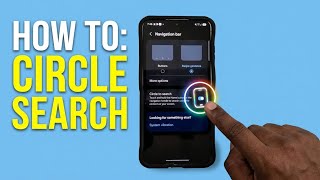
Circle to Search lets you draw around anything on your Redmi screen and get Google results without leaving the app. You will learn how to switch it on, circle or tap an item, and read the results. It suits anyone on a Redmi Note 17 or 17 Pro who wants quick lookups, translations or product searches.
YouTube video: How To Use Circle To Search Feature On Redmi Note 17 / 17 Pro
Caption availability is unknown. Check the CC control in the YouTube player.
- Video length
- 1 min 10 s
- Time to do it
- 5 minutes
- Difficulty
- Easy
- Steps
- 9
What you need
Steps
Update the Google app first. Open the Play Store, tap your profile picture, tap Manage apps and device, then update Google if an update is waiting.
Turn the feature on. Open Settings, tap the search bar at the top, type Circle to Search, then switch on the toggle you find there.
Open any app with something on screen, like a photo, a web page or a chat. Circle to Search works on top of whatever you are viewing.
Long press the gesture bar at the bottom of the screen. If you use three buttons, long press the Home button instead. You can also say Hey Google.
Draw a rough circle around the object with your finger. A messy loop is fine, the phone does not need a perfect shape.
Tap or scribble over text instead of circling it when you want a translation or a definition. The results panel updates as you select.
Read the results panel at the bottom. Swipe up on it for more, then tap any result to open it in your browser or app.
Tap the translate icon in the panel to convert on-screen text, or the music icon to identify a song playing near you.
Close the feature by swiping back or tapping outside the panel. You return to the exact screen you left.
Tips and common mistakes
No screenshot is needed, so skip the gallery and circle straight from the live screen.
If nothing happens on a long press, check the Google app is up to date and set as your default assistant.
You need a data or Wi-Fi connection, since the search runs on Google servers.
Circle several items at once by scribbling over all of them, then tap the one you want from the panel.
Questions
Does Circle to Search work on the Redmi Note 17?
Yes, once the Google app is updated and the toggle is on, a long press on the gesture bar starts it. The steps are the same on the Note 17 and the 17 Pro.
Do I have to take a screenshot first?
No. Circle to Search reads the live screen, so you can circle a photo, a product or text directly inside any app.
Why does nothing happen when I long press?
The Google app is usually out of date or not set as the default assistant. Update it in the Play Store, then check the Circle to Search toggle in Settings.
The notes are drafted automatically from video details and general task knowledge. How the guide was prepared
Report a correction