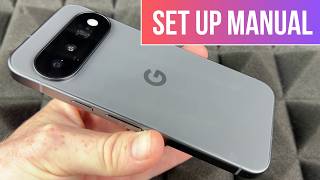
YouTube sign-in runs through your Google account, so you secure it by turning on Google 2-Step Verification. This guide walks you through it from the YouTube app or a mobile browser, then shows how to add backup codes and a second sign-in method. It suits any creator or viewer who wants to lock down their channel.
YouTube video: How to Enable Two-Factor Authentication on YouTube Using Your Phone | Secure Your YouTube Account
Caption availability is unknown. Check the CC control in the YouTube player.
Choose a chapter (5)
- Video length
- 8 min 11 s
- Time to do it
- 10 minutes
- Difficulty
- Easy
- Steps
- 7
What you need
Steps
Open the YouTube app and tap your profile picture in the top corner. Tap your Google account name or the Manage your Google Account button to open account settings.
Swipe across the tabs at the top and tap Security. Scroll down to the section called How you sign in to Google.
Tap 2-Step Verification, then tap Get started. Google may ask you to enter your account password again.
Enter your phone number and choose Text message or Voice call. Tap Next, then type the 6-digit code Google sends you.
Tap Turn on to finish. From now on, any new sign-in on a device needs that code as well as your password.
Optional: tap Add backup phone or set up an authenticator app such as Google Authenticator for codes without mobile signal.
Open Backup codes, tap Generate, and save the list somewhere safe. Each code works once if you lose your phone.
Tips and common mistakes
Keep at least one backup code printed or saved offline, or you can be locked out if you lose your phone.
Use an authenticator app instead of SMS if your mobile signal is unreliable.
Check your recovery email and phone number are current before you start.
Review the Devices section afterwards and sign out any phone or computer you do not recognise.
Questions
Do I set this up inside YouTube or in my Google account?
In your Google account. YouTube uses Google sign-in, so turning on 2-Step Verification there protects YouTube, Gmail and every other Google service at once.
What if I lose the phone I use for codes?
Use one of your saved backup codes to sign in, then set up a new phone number or authenticator app. Without backup codes, account recovery takes longer.
Does 2-Step Verification cost anything?
No. It is a free security setting built into your Google account, and it works on both Android and iPhone.
The notes are drafted automatically from video details and general task knowledge. How the guide was prepared
Report a correction