Move your calls, texts and mobile data onto a new handset by swapping the physical SIM or activating an eSIM. It suits anyone upgrading phones and works on both iPhone and Android. You need your carrier account login and a SIM ejector pin.
YouTube video: How To Transfer Signal From Old To New Phone (Full Guide)
Caption availability is unknown. Check the CC control in the YouTube player.
- Video length
- 1 min 13 s
- Time to do it
- 30 minutes
- Difficulty
- Easy
- Steps
- 9
What you need
Steps
Back up the old phone first. On iPhone open Settings, tap your name, then iCloud, then iCloud Backup. On Android open Settings, then Google, then Backup.
Check the old phone is carrier unlocked. On iPhone go to Settings, General, About and look for No SIM restrictions. On Android ask your carrier or check in Settings under Network.
Power off both phones before you touch the SIM tray. This stops the new phone reading a half-seated card and failing to find the network.
Find the SIM tray on the edge of the new phone. Push the ejector pin into the small pinhole until the tray pops out, then pull it free.
Set the SIM into the new tray with the cut corner lined up with the notch. Slide the tray back in until it clicks flush with the frame.
Turn the new phone on and wait for the carrier name in the status bar. Switch Wi-Fi off and load a web page to confirm mobile data works.
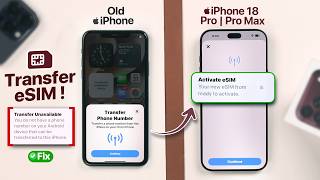
For an eSIM, log in to your carrier app or account page and choose the switch device or activate eSIM option. On iPhone scan the code in Settings, Cellular, Add eSIM. On Android use Settings, Network, SIMs.
Test the line properly. Call your own number from another phone, send a text, and check that mobile data still works with Wi-Fi turned off.
If there is no signal, restart the phone. Then reset network settings on iPhone under Settings, General, Transfer or Reset iPhone, Reset, Reset Network Settings.
Tips and common mistakes
Keep the old phone on Wi-Fi until the new one makes calls, so you still have access to your accounts.
Do not cancel the old line until the number is fully working on the new phone.
A carrier store can move your number for you if the new phone takes a different SIM size.
Resetting network settings wipes saved Wi-Fi passwords, so note them down first.
Questions
Do I have to tell my carrier before swapping the SIM?
For a simple physical SIM swap you usually do not, as the card carries the number. For an eSIM you must request activation from your carrier, because the profile is tied to your account.
Will I lose my contacts and photos?
No, those live in your phone or your cloud account, not the SIM. Restore them from the backup you made, or sign in to the same Google or Apple account on the new phone.
Why does the new phone show no service?
The tray may not be fully seated, the phone may be locked to another carrier, or the eSIM may not be activated yet. Reboot first, then reset network settings.
The notes are drafted automatically from video details and general task knowledge. How the guide was prepared
Report a correction