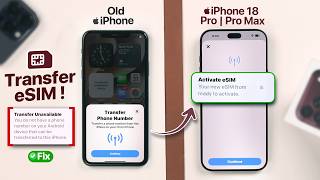
You will move your mobile number from a Pixel to a Samsung phone as an eSIM, so calls, texts and data keep working on the new device. It suits anyone upgrading phones who wants to keep the same carrier and plan. You need carrier account access and a few minutes on Wi-Fi.
YouTube video: How to Transfer eSIM From Pixel to Samsung (in 1 Minute)
Caption availability is unknown. Check the CC control in the YouTube player.
- Video length
- 1 min 9 s
- Time to do it
- 10 minutes
- Difficulty
- Easy
- Steps
- 10
What you need
Steps
Confirm your carrier supports eSIM transfers. Open the carrier app or chat with support and ask whether your number can move to a new eSIM, and whether a fee applies.
On the Samsung phone, open Settings, then Connections, then SIM manager, and check that eSIM is listed. If it is missing, your model or region may not support it.
Note the Samsung's EID under Settings, About phone, Status information. Your carrier may ask for it when reissuing the eSIM.
Keep the Pixel switched on and on Wi-Fi during the move. Most carriers send a confirmation code to the old number or your email.
Install your carrier's app on the Samsung and sign in. Look for an option such as transfer eSIM, switch device or add eSIM, then follow the prompts.
If your carrier gives you a QR code or activation code instead, open Settings, Connections, SIM manager, Add eSIM, then scan or type the code.
Wait for the eSIM profile to download. Leave the phone on Wi-Fi and do not restart it or close the app while it finishes.
Turn the new eSIM on in SIM manager. Set it as the default line for calls, texts and mobile data.
Make a test call and load a web page on mobile data. Once it works, delete the old eSIM from the Pixel so the two cannot conflict.
If the automatic transfer fails, contact your carrier and ask them to reissue the eSIM to the Samsung's EID.
Tips and common mistakes
Do not delete the eSIM from your Pixel until the new line is active, or you may lose access to verification codes.
Some carriers only allow eSIM moves through chat or phone support, so have your account PIN ready.
Transfer options vary by country and phone model, so check the Samsung SIM manager before you start.
Ask your carrier whether a new eSIM profile costs anything before you begin.
Questions
Will the eSIM stop working on my Pixel?
Yes. Once the profile moves, the old eSIM is deactivated. Keep the Pixel switched on until the Samsung line is active so you can still receive verification codes.
Can I transfer an eSIM without the old phone?
Often yes. Sign in to your carrier account or call support and ask them to reissue the eSIM to your Samsung's EID.
How long does the transfer take?
Usually a few minutes once the carrier approves it. The profile download can take longer on a slow connection.
The notes are drafted automatically from video details and general task knowledge. How the guide was prepared
Report a correction