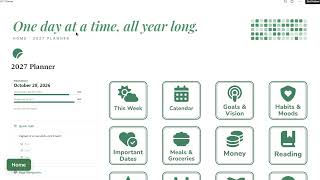
You will set up a reusable Notion Conventions page so ChatGPT or Claude creates pages, databases and templates the way you like them. It suits anyone who already uses Notion and is tired of fixing AI output by hand. You need a Notion account and access to ChatGPT, Claude or Gemini.
YouTube video: I knew AI + Notion would be good, but this... wow.
Caption availability is unknown. Check the CC control in the YouTube player.
Choose a chapter (5)
- Video length
- 14 min 21 s
- Time to do it
- 30 minutes
- Difficulty
- Easy
- Steps
- 8
What you need
Steps
Open Notion and create a new page called Notion Conventions. This page will hold the rules the AI must follow every time it builds something for you.
List your database rules on the page. Name the properties, their types (text, select, date, relation) and which ones are required.
Add your template rules. Describe the page structure, headings, checklists and any sections every new item should contain.
Write your formatting rules. Say how titles should read, how dates are written and whether to use emoji, bold or callouts.
Copy the whole Conventions page and paste it into ChatGPT or Claude as the first message of a new chat.
Ask the AI to create a test task or note in Notion using those rules, then paste the result into Notion and check it.
Fix anything that came out wrong, update the Conventions page with the corrected rule, and start a fresh chat with the updated text.
For bigger work, give the AI your project structure: linked tasks, deliverables and status options, then ask it to build the full set.
Tips and common mistakes
Keep the Conventions page short and specific. Vague rules like make it clean give vague results.
Start a new chat each time so old instructions do not mix with your current rules.
Save the conventions text somewhere outside Notion too, so you can paste it into any AI tool in seconds.
Check AI output before pasting it into a live database, since property names must match exactly.
Questions
Do I need Notion AI for this?
No. You copy your conventions into ChatGPT, Claude or Gemini and paste the results back into Notion yourself.
Will this work with my existing Notion setup?
Yes. The conventions describe the databases and templates you already use, so you keep your current structure.
Which AI tool works best?
The video covers Claude, ChatGPT and Gemini. Any of them can follow written rules, so use the one you already pay for.
The notes are drafted automatically from video details and general task knowledge. How the guide was prepared
Report a correction