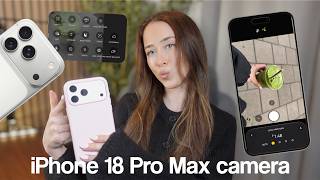
You will learn to shoot sharp photos and smooth video with the iPhone Duo camera by using focus, exposure and framing controls instead of leaving everything on auto. It suits anyone new to the camera app. No extra gear is needed beyond the phone itself.
YouTube video: How To Take Photos & Videos with iPhone Duo's Camera - iPhone Duo Camera Tutorial
Caption availability is unknown. Check the CC control in the YouTube player.
- Video length
- 10 min 58 s
- Time to do it
- 10 minutes
- Difficulty
- Easy
- Steps
- 8
What you need
Steps
Open the Camera app from the home screen, or swipe left on the lock screen for the camera shortcut. The app opens in Photo mode by default.
Point the phone at your subject and tap once on the screen where you want focus. A yellow box appears and the exposure adjusts to that spot.
Drag the small sun slider next to the focus box up to brighten the shot or down to darken it. Tap and hold the screen to lock focus and exposure.
Turn on the grid in Settings, then Camera, so you can line up horizons and place your subject off center for a stronger composition.
Tap the round shutter button to take the photo. Press a volume button instead for a steadier shot, or hold the shutter down to fire a burst.
Swipe the mode dial to Video and tap the red record button. Tap it again to stop recording.
Set resolution and frame rate in Settings, then Camera, then Record Video. Pick 4K at 30 fps for detail or 1080p at 60 fps for smoother motion.
Hold the phone steady with both hands or rest it on a tripod in low light. Night mode switches on by itself and may take a few seconds to finish.
Tips and common mistakes
Wipe the lens with a soft cloth before you shoot, since fingerprints cause hazy, low contrast photos.
Avoid pinching to zoom far in, because digital zoom softens detail. Move closer to your subject instead.
Tap and hold to lock focus when shooting through glass or when something keeps passing in front of the lens.
Keep the flash off in most indoor scenes and let the room light or night mode do the work.
Questions
Why do my low light photos come out blurry?
The shutter stays open longer in dim light, so any hand movement shows up as blur. Rest the phone on a wall, table or tripod and hold still until the shot finishes.
How do I change video quality?
Open Settings, tap Camera, then Record Video, and choose your resolution and frame rate. Higher settings look better but use far more storage.
Can I take a photo while recording video?
Yes. The white shutter button stays on screen during recording, and tapping it saves a still photo without stopping the video.
The notes are drafted automatically from video details and general task knowledge. How the guide was prepared
Report a correction