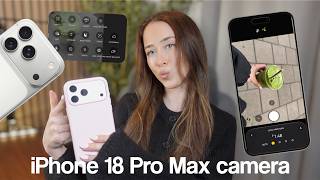
Set up the iPhone 18 camera properly and use the Camera app with more control. This guide covers formats, grid, stabilisation, focus and exposure so your photos and videos come out sharper and better exposed. It suits any beginner with an iPhone 18 or iPhone 18 Pro.
YouTube video: iPhone 18 Series How To Take Better Photos & Videos - Camera Tips & Tricks
Caption availability is unknown. Check the CC control in the YouTube player.
Choose a chapter (4)
- Video length
- 18 min 2 s
- Time to do it
- 10 minutes
- Difficulty
- Easy
- Steps
- 9
What you need
Steps
Open the Settings app, scroll down and tap Camera. This is where every photo and video default lives, so set it up before you start shooting.
Tap Formats. Pick High Efficiency to save space or Most Compatible for easier sharing. On a Pro model, turn on ProRAW and Resolution Control to 48MP shots.
Under Composition, switch on Grid and Level. The grid helps you follow the rule of thirds, and the level keeps horizons straight.
Turn on Lens Correction to reduce edge distortion, and Mirror Front Camera if you want selfies to match what you see in a mirror.
Open Record Video and choose 4K at 30fps for detail, or 1080p at 60fps for smoother motion and smaller files. Turn on Enhanced Stabilization for handheld clips.
In the Camera app, tap 1x, 2x or the telephoto lens button to switch lenses. Skip pinching to zoom, which just crops the image.
Tap the screen where you want focus, then drag the sun slider up or down to set exposure. Small adjustments protect bright skies and faces.
Press and hold on your subject until AE/AF Lock appears. That keeps focus and exposure steady while you recompose the shot.
Switch to Portrait for people or Video for clips, then press the shutter or red record button. Hold still for a second before and after so clips start and end cleanly.
Tips and common mistakes
Wipe the lens with a soft cloth before shooting, since smudges cause hazy, low-contrast photos.
Avoid digital zoom past 2x on phones without a telephoto lens; move closer or crop later instead.
Shoot in bright, even light such as open shade rather than under harsh midday sun for cleaner skin tones.
Turn on Preserve Settings in the Camera settings so your chosen mode stays selected between shots.
Questions
Why are my iPhone photos blurry?
Usually a dirty lens or motion in low light. Clean the lens, hold the phone with both hands and tap to focus before you shoot.
Should I record video in 4K or 1080p?
4K gives sharper detail and more room to crop, but files are larger. Use 1080p at 60fps when you need smooth motion or plan to share quickly.
Does 48MP ProRAW take up more storage?
Yes. Each 48MP ProRAW file is much larger than a standard photo, so switch it on only for shots you plan to edit.
The notes are drafted automatically from video details and general task knowledge. How the guide was prepared
Report a correction