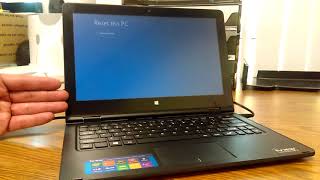
[2026] How to Speed Up Windows 10 PC / Laptop (Fix Lagging and Slow issues), by Abdul Moiz Farooq on YouTube. 5 min 13 s.
- Video length
- 5 min 13 s
- Time to do it
- 30 minutes
- Difficulty
- Easy
- Steps
- 9
What you need
Steps
Restart your PC with Start > Power > Restart, not Shut down. A full restart clears stuck processes that a shutdown can leave running.
Open Task Manager with Ctrl+Shift+Esc and look at the Processes tab. Sort by CPU, Memory and Disk to see which apps use the most.
Go to the Startup tab in Task Manager and right-click apps you do not need at login, then choose Disable. Leave antivirus and driver tools alone.
Open Settings > Apps and uninstall programs you no longer use. This frees space and stops background updates.
Open Settings > System > Storage and click Temporary files to delete them. Turn on Storage Sense so Windows cleans up automatically.
Go to Settings > System > Power & sleep > Additional power settings and pick High performance. On a laptop, use it when plugged in.
Search for Adjust the appearance and performance of Windows and choose Adjust for best performance. This turns off animations and shadows.
Open Settings > Privacy > Background apps and turn off apps that do not need to run in the background.
Open Windows Security > Virus & threat protection and run a Quick scan. Remove anything it finds.
Tips and common mistakes
Skip paid speed booster software. It often adds more background processes than it removes.
Keep at least 15 to 20 GB free on your C drive so Windows has room for updates and temp files.
Do not disable startup items you do not recognise. Look up the name first.
If the laptop still lags, check for a failing hard drive or too little RAM before buying a new machine.
Questions
Will these fixes delete my files?
No. The steps only remove temporary files and unused programs you choose. Your documents and photos stay where they are.
How much faster will my PC get?
It depends on what was slowing it down. Cutting startup apps and freeing disk space often gives the biggest change on older laptops.
Do I need to restart after these changes?
Restart once at the end so the power plan and startup changes take effect.
This guide was drafted from the video's details and general task knowledge. It has not been checked against the full video. Check the video and relevant product instructions before following a procedure. Report a correction.