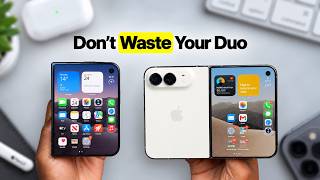
The iPhone Duo has fold-only features that are easy to miss. This guide walks you through the settings and camera tricks worth turning on first, from the edge shift you should do before fitting a case to StandBy without a charger. It suits new Duo owners on iOS 27.
YouTube video: The 10 iPhone Duo Features You Should Set Up First
Caption availability is unknown. Check the CC control in the YouTube player.
Choose a chapter (15)
- Video length
- 8 min 4 s
- Time to do it
- 20 minutes
- Difficulty
- Easy
- Steps
- 9
What you need
Steps
Before you put a case on the phone, open Settings and adjust the Shift Left Edge option so the folded screen lines up correctly with the case fitted.
Turn on StandBy and set it to work without a charger, so the big screen shows the clock and widgets whenever the phone is folded and propped up.
Open Split View and drag an app to one side of the large inner screen, then pick a second app for the other side.
Run two windows of the same app side by side, handy for comparing notes or messages in one app.
Save a pair of apps you use together so both open in Split View with one tap.
Switch to the rear cameras for selfies and use the outer display as your viewfinder so you can frame the shot.
Try Duo Preview to show the photo to the person you are shooting before you press the shutter.
Set up Kid Cue to keep a child's attention on the outer screen, and try Smart Take for group shots.
Start a Duo FaceTime call and use the laptop pose with the phone folded and propped so the camera faces you hands-free.
Tips and common mistakes
Do the edge shift before fitting a case, since changing it afterwards means taking the case off again.
StandBy without a charger drains the battery faster, so keep it for a desk or stand.
Check each feature in Apple's iPhone User Guide for iOS 27 if a menu name looks different on your phone.
Questions
Do these features work on a normal iPhone?
No. Most of them depend on the folding screen, so they only appear on the iPhone Duo.
Which three should I set up first?
The creator's shortlist comes at 7:24 in the video. Start with the edge shift, then StandBy and Split View.
Do I need iOS 27?
Yes. The features and menu paths come from the iOS 27 user guide, so update before you start.
The notes are drafted automatically from video details and general task knowledge. How the guide was prepared
Report a correction