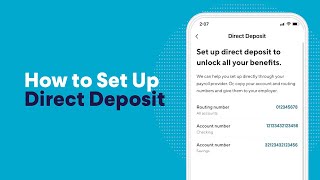
This guide walks you through setting up Sage Cloud Payroll for a Canadian business, from logging in and configuring company and payroll settings to adding employees, setting up direct deposit and completing your first pay run. It suits new administrators who have their company tax details and employee information ready.
YouTube video: Sage Cloud Payroll: Full Setup Walkthrough + First Pay Run (Canada)
YouTube’s video details do not confirm captions. Check CC in the player for available tracks.
Choose a chapter (28)
- Video length
- 56 min 36 s
- Time to do it
- 2 hours
- Difficulty
- Medium
- Steps
- 9
What you need
Steps
Log in to Sage Payroll with your Sage ID and complete two-factor authentication when prompted. Keep your phone or authenticator app nearby for the code.
Open company settings and enter your business name, address and tax settings. These details must be correct before you can run payroll.
Review the pay groups and check how employees link to them. Sage includes five default pay groups, so confirm the right one for each worker.
Check the pay components for earnings, deductions, benefits and allowances. Adjust them so they match how your business pays staff.
Set up direct deposit with EFT by entering your bank account information. Note the EFT file cut-off and bank processing times before your first pay date.
Add each employee and create their record. Enter vacation pay, pay frequency, hours and pay rate, then set default payslip values and recurring amounts.
Fill in deductions, RRSP details and employee tax information for each person. For mid-year starters, enter year-to-date conversion values from your old payroll program.
Create your first pay run schedule, then process the pay run and review the calculated values for every employee.
Do your final checks, then review and complete the pay run. Send pay statements and pay employees through EFT.
Tips and common mistakes
Enter mid-year year-to-date totals carefully, since wrong figures affect tax and deduction calculations for the rest of the year.
Check the EFT processing time before setting your first pay date so employees are paid on schedule.
Confirm each employee's pay group and tax settings before submitting, because changes after completion mean adjustments.
Keep your Sage ID two-factor method up to date so you are not locked out on payday.
Questions
Do I need to set up direct deposit before my first pay run?
You can complete a pay run without it, but setting up EFT direct deposit first lets you pay employees by bank transfer. Have your bank account details ready.
How do I bring over employee totals from my old payroll system?
Use the year-to-date conversion values for mid-year starters. Enter the totals from your previous program when you create each employee record.
Where do employees view their payslips?
Payslips can be viewed in Sage HR once the pay run is complete and statements are sent. Employees need access to their Sage HR account.
The notes are drafted automatically from video details and general task knowledge. How the guide was prepared
Report a correction