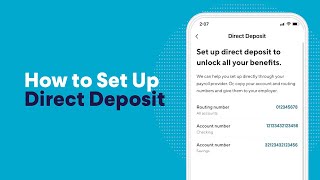
You can route your paycheck into a Capital One checking account in two ways: let Capital One connect to a supported payroll provider, or fill out a direct deposit form and give it to your employer. You will need your Capital One login and your employer's payroll details.
YouTube video: How to Set Direct Deposit for Your Capital One Account
YouTube’s video details do not confirm captions. Check CC in the player for available tracks.
Choose a chapter (4)
- Video length
- 3 min 10 s
- Time to do it
- 10 minutes
- Difficulty
- Easy
- Steps
- 7
What you need
Steps
Open the Capital One app or website and sign in to your checking account. Look for the direct deposit setup option in the account settings or services menu.
Check whether your employer or payroll provider is supported for automatic setup. If it is, follow the prompts to connect your account and authorise the deposit.
If automatic setup is not available, find your routing number and account number for the checking account. These are usually shown in the account details section.
Create a direct deposit form inside the Capital One app. The form fills in your name, routing number and account number for you.
Choose an electronic signature or sign the form by hand, depending on what your employer accepts. Then save or download the completed form.
Send the form to your employer's payroll or HR team using their usual process, such as a payroll portal upload, email or printed copy.
Confirm with payroll that the change is processed and check your next payslip to make sure the money goes to the right account.
Tips and common mistakes
Double-check the routing and account numbers before you send the form, since one wrong digit sends your pay to the wrong place.
Ask payroll when the change takes effect; it often applies to the next pay cycle, not the current one.
Keep a copy of the signed form in case payroll asks for it again.
Early paycheck timing depends on when your employer submits payroll, so do not rely on it for bills due on a fixed date.
Questions
Do I need to create a special form, or can I just give my account numbers?
Either works. Many employers accept your routing and account numbers directly, but a signed Capital One direct deposit form is often the fastest route.
When will my first direct deposit arrive?
It depends on your employer's payroll schedule. Ask payroll when the change takes effect, then check your first payslip to confirm.
Can I split my paycheck between two accounts?
Many payroll systems allow this. Ask your employer for a split deposit option and provide the account details for each account.
The notes are drafted automatically from video details and general task knowledge. How the guide was prepared
Report a correction