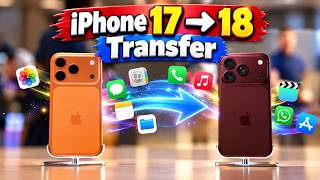
Set up a brand new iPhone from scratch, from the first Hello screen to a working home screen. You will connect to Wi-Fi, make a fresh Apple ID and move your data over from an old phone. It suits anyone unboxing a new iPhone, and you only need Wi-Fi and a charger.
YouTube video: How to Set Up iPhone 18, Pro & Pro Max and Create a New Apple ID 📱🍎
Caption availability is unknown. Check the CC control in the YouTube player.
- Video length
- 5 min 52 s
- Time to do it
- 15 minutes
- Difficulty
- Easy
- Steps
- 10
What you need
Steps
Charge the iPhone, then hold the side button until the Apple logo appears. Slide up from the bottom of the Hello screen to begin.
Pick your language and country or region, then tap Continue. Wait while the phone loads the setup options.
Choose Quick Start and hold your old iPhone nearby to transfer everything, or tap Set Up Manually to start clean.
Join your Wi-Fi network. If no network shows, tap Other and type the name and password by hand.
Set a six digit passcode and turn on Face ID. Keep the passcode somewhere you will remember it.
On the Apple ID screen tap Don't Have an Apple ID or Forgot, then Create a Free Apple ID. Enter your birthday, name and email address.
Choose a strong password and confirm it. Type the verification code sent to your email or phone number to activate the account.
Agree to the terms and turn on the iCloud, Siri and location options you want. Skip anything you are unsure about, you can change it later.
Restore from an iCloud backup or transfer data from your old phone if you chose that route. Keep both phones on power until it finishes.
Finish the remaining screens, then open Settings and install the latest iOS update before you add apps.
Tips and common mistakes
Keep your old phone switched on and connected to Wi-Fi until the transfer is complete.
Write down the Apple ID email and password, since you will need them for the App Store and iCloud.
Use a 5 GHz Wi-Fi network if the backup restore keeps stalling.
You can skip Apple Pay, Siri and analytics during setup and turn them on later in Settings.
Questions
Do I need an Apple ID to use an iPhone?
You can use the phone without one, but you cannot download apps, back up to iCloud or use Find My. Creating one takes a few minutes during setup.
How do I move my data from an old iPhone?
Choose Quick Start and hold the old phone near the new one, then scan the image on screen. You can also restore from an iCloud backup made on the old phone.
What if I forget the Apple ID password later?
Use the Forgot Password link at iforgot.apple.com or in Settings to reset it by email or phone number. A trusted phone number on the account makes this much faster.
The notes are drafted automatically from video details and general task knowledge. How the guide was prepared
Report a correction