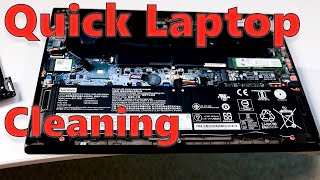
Swap the cooling fan and heatsink in a ThinkPad T14 Gen 2 to silence a loud, grinding fan. It suits anyone comfortable using a small screwdriver on laptop internals. You will need the correct replacement assembly and fresh thermal paste, and the job takes about half an hour.
YouTube video: Lenovo ThinkPad T14 Gen 2 Fan & Heatsink Replacement | Laptop Repair
YouTube’s video details do not confirm captions. Check CC in the player for available tracks.
- Video length
- 3 min 17 s
- Time to do it
- 30 minutes
- Difficulty
- Medium
- Steps
- 10
What you need
Steps
Shut the laptop down fully, unplug the charger and any dock, then close the lid and flip the machine over on a clean, flat surface.
Loosen the captive Phillips screws on the bottom cover. They stay in the cover, so you cannot lose them.
Slide a plastic pry tool into the seam and work around the edge until the bottom cover lifts free. Set it aside.
Disconnect the internal battery connector from the motherboard first. This cuts power so you cannot short anything while working.
Unplug the small fan cable from its header on the motherboard, then loosen the four spring screws on the heatsink in their numbered order.
Lift the heatsink and fan out together as one unit. Wipe the old grey paste off the CPU with isopropyl alcohol and a lint-free cloth.
Apply a pea-sized dot of fresh thermal paste to the centre of the CPU die. Do not spread it, the mounting pressure does it for you.
Seat the new heatsink and fan, tighten the four screws in numbered order, then reconnect the fan cable and the battery connector.
Refit the bottom cover, press the edges down until they click, and tighten the captive screws.
Plug in the charger and power on. Let it reach the Windows sign-in screen, then listen near the vent to confirm the noise is gone.
Tips and common mistakes
Wear an anti-static strap or touch a bare metal desk frame before handling the motherboard.
Tighten the heatsink screws a little at a time in order so the cooler sits flat on the CPU.
Keep the bottom-cover screws in a cup or magnetic tray so none go missing.
Never reuse old thermal paste. Scrape and clean it fully before adding new paste.
Questions
Do I have to replace the whole heatsink or just the fan?
On most ThinkPad T14 Gen 2 models the fan is sold separately, but the heatsink has to come out either way. If the fins are clogged or the heat pipes are bent, replace the whole assembly.
Can I skip disconnecting the internal battery?
No. Always unplug the battery connector before removing or refitting any internal part, or you risk a short circuit.
The fan is still loud after the swap. What now?
Check that the fan cable is fully seated and that nothing rubs on the blades. Then update the BIOS, since fan curves are controlled there.
The notes are drafted automatically from video details and general task knowledge. How the guide was prepared
Report a correction