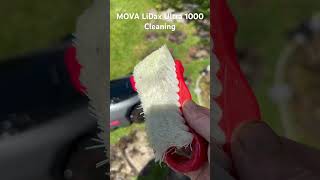
Swap the worn blades on your robotic lawnmower for fresh ones so it cuts cleanly again. Check the instructions for your exact model before choosing this setting or amount. You will remove the old blades, clean the cutting disc and fit new blades and screws.
YouTube video: How to Replace Your Robotic Lawnmower Blades
Caption availability is unknown. Check the CC control in the YouTube player.
- Video length
- 3 min 17 s
- Time to do it
- 15 minutes
- Difficulty
- Easy
- Steps
- 10
What you need
Steps
Park the mower on a flat, clear surface and switch it off. Remove the battery or key if your model has one so the blades cannot start.
Put on gloves and tip or lift the mower so you can reach the cutting disc underneath. The blades are sharp even when blunt.
Look at the old blades first. Double-sided blades can be flipped to use the opposite cutting edge if one side is still sharp.
Hold each blade steady and undo its screw with the screwdriver. Slide the old blade off the disc and keep the screw aside.
Wipe grass clippings and dirt off the blade disc with a cloth or brush. Check the disc for cracks or bent mounts before going further.
Compare a new blade with an old one. The length, width and screw hole should line up, so you know the replacement fits.
Set the new blade on its mount and push the new screw through. The replacement screws come with thread locker already on the threads.
Tighten the screw with the screwdriver until it is firm. Do not overtighten, and fit every blade the same way.
Flick each blade with a finger to check it pivots freely on the disc. A blade that sticks will not cut properly, so loosen it slightly.
Set the mower back down, refit the battery or key and run it on the lawn. Check the cut looks even and no blade is rubbing.
Tips and common mistakes
Use the new screws rather than the old ones, because the thread locker is already applied and helps stop them working loose.
Flip double-sided blades to the second edge once the first one dulls, then replace them when both edges are worn.
Replace all the blades in one go so the disc stays balanced and the grass is cut evenly.
Check the blades every few weeks in the growing season, and sooner if the lawn starts looking torn rather than cut.
Questions
How do I know when the robot mower blades need replacing?
The lawn starts looking ragged instead of cleanly cut, or you can see nicks and worn edges on the blades. Blades that are bent or damaged should come off straight away.
Can I reuse the old screws when I change the blades?
It is better to fit the new screws that come with the blades. They have thread locker on the threads already, which helps keep them tight on the spinning disc.
Can I sharpen robot mower blades instead of buying new ones?
Small robot blades are usually replaced rather than sharpened because they are thin and cheap to swap. Flipping a double-sided blade gives you a fresh edge before you need new ones.
The notes are drafted automatically from video details and general task knowledge. How the guide was prepared
Report a correction