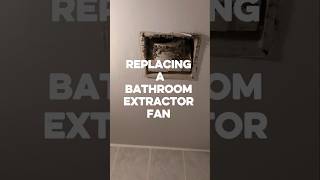
Swap a dead bathroom exhaust fan motor for a new one and fit a fresh vent cover while you are at it. This suits anyone with basic DIY skills. You need a replacement motor that matches your old unit, a new vent cover if you want one, and a screwdriver.
YouTube video: How to Replace Bathroom Exhaust Fan Motor
YouTube’s video details do not confirm captions. Check CC in the player for available tracks.
- Video length
- 2 min 15 s
- Time to do it
- 20 minutes
- Difficulty
- Easy
- Steps
- 8
What you need
Steps
Turn off the power to the bathroom fan at the breaker before you touch anything.
Climb a step ladder and remove the vent cover from the ceiling.
Unscrew the fan housing and pull it down so you can reach the motor.
Disconnect the wires and note which wire goes where.
Remove the old motor from the housing and fit the new motor in its place.
Reconnect the wires in the same order and screw the housing back up.
Fit the new vent cover and restore power at the breaker.
Switch the fan on and check that it spins and pulls air.
Tips and common mistakes
Match the part number to your old motor before ordering a replacement.
Take a photo of the wiring before you disconnect anything.
If the old fan was not spinning, check the motor and the vent for dust first.
Questions
Do I need to turn off the breaker?
Yes. Cut power at the breaker before removing the cover or touching any wires.
How do I know which motor to buy?
Check the part number on your old motor or the fan housing and order the same model.
Can I reuse the old vent cover?
Yes, but a new cover is cheap and easy to fit while the fan is open.
The notes are drafted automatically from video details and general task knowledge. How the guide was prepared
Report a correction