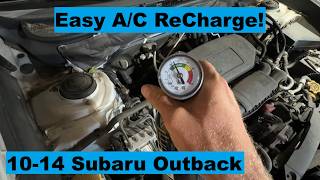
You will add R134a refrigerant to your 2015 Chevy Tahoe through the low side port to fix warm air from the vents. This suits owners with basic DIY skills. You need a recharge hose or kit and safety glasses.
YouTube video: 2015 Chevy Tahoe AC Recharge EASY Fix!
YouTube’s video details do not confirm captions. Check CC in the player for available tracks.
- Video length
- 3 min
- Time to do it
- 15 minutes
- Difficulty
- Easy
- Steps
- 7
What you need
Steps
Park the Tahoe on level ground and let the engine cool. Open the hood and find the AC low side port, the smaller port with a black cap near the firewall.
Start the engine and set the AC to max cold with the fan on high. Let it run a few minutes so the compressor engages.
Put on safety glasses. Wipe dirt from the low side port and cap so nothing falls into the system.
Connect the recharge hose or kit to the R134a can, then screw the coupler onto the low side port. It should click or seat firmly.
Open the valve on the hose or kit. Keep the can upright and let refrigerant flow in while you watch the gauge.
Stop when the gauge reaches the pressure range on the kit chart for the outside temperature. Close the valve.
Disconnect the coupler from the port and put the cap back on. Check that the vents blow cold air.
Tips and common mistakes
Only use the low side port. The high side port is larger and connecting there is dangerous.
Never overfill the system. Too much refrigerant can damage the compressor.
If the air stays warm after a full charge, look for a leak before adding more.
Questions
Which port do I use on a 2015 Tahoe?
Use the low side port, the smaller one with the black cap. The high side port is larger and should not be used for recharging.
How do I know when to stop adding refrigerant?
Follow the pressure chart on your recharge kit and the outside temperature. Stop when the gauge reaches that range.
Can I use R134a on this Tahoe?
Yes, the 2015 Chevy Tahoe uses R134a refrigerant. Check the label under the hood to confirm before you buy a can.
The notes are drafted automatically from video details and general task knowledge. How the guide was prepared
Report a correction