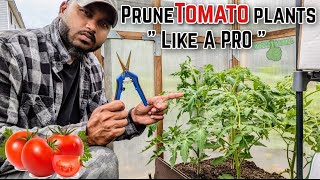
Pruning tomatoes means cutting off the small shoots that grow between the main stem and a branch, so the plant puts energy into fruit instead of extra leaves. It suits anyone growing tomatoes in a garden or container. Not every tomato plant needs it, so check your type first.
YouTube video: How To Prune Tomatoes 101 🍅
YouTube’s video details do not confirm captions. Check CC in the player for available tracks.
- Video length
- 1 min 8 s
- Time to do it
- 10 minutes
- Difficulty
- Easy
- Steps
- 6
What you need
Steps
Check which type of tomato you grow. Determinate bush varieties usually do not need pruning, while indeterminate vining types benefit most from removing suckers.
Find the suckers. These are the small new shoots growing in the V-shaped joint between the main stem and a side branch.
Pinch or snip off each sucker close to the stem while it is still small, before it grows into a full branch.
Work up the plant and remove suckers from the lower joints first, then check higher joints as the plant grows.
Cut off any leaves that touch the soil, since they invite disease and pests.
Wipe your shears with rubbing alcohol between plants so you do not spread disease.
Tips and common mistakes
Prune in dry weather so the cuts seal over and do not get infected.
Do not strip too many leaves at once, as the plant needs foliage to make food.
Remove suckers early, when they are small, so the plant wastes less energy.
Questions
Do I have to prune every tomato plant?
No. It is not necessary for every plant. Determinate bush types usually do fine without it, while indeterminate types gain the most from sucker removal.
What is a tomato sucker?
It is a small shoot that grows in the joint between the main stem and a branch. Left alone, it becomes another stem that takes energy from the fruit.
Can I just pinch suckers off with my fingers?
Yes, small suckers can be pinched off by hand. Use clean shears for thicker ones.
The notes are drafted automatically from video details and general task knowledge. How the guide was prepared
Report a correction