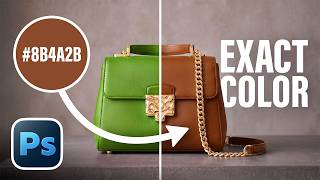
Learn why a photo that looks bright on your screen can print darker and flatter, and how to fix it. You will make a separate print file, adjust warm colors and shadows, and choose between paper and metal. It suits anyone printing their own photos at home or through a lab.
YouTube video: From Screen to Print: How 10 Became 9
Caption availability is unknown. Check the CC control in the YouTube player.
Choose a chapter (13)
- Video length
- 18 min 56 s
- Time to do it
- 30 minutes
- Difficulty
- Medium
- Steps
- 8
What you need
Steps
Accept that your monitor and paper show color differently. A bright screen image often looks duller and darker once printed, so judge the print, not the screen.
Save a copy of your edited photo as a separate print file. Keep your original untouched so you can compare and go back.
Warm up the yellows and oranges slightly in your print file. These colors often lose punch on paper, so small boosts help them hold up.
Open up the deepest shadows so detail is not lost in black areas. Lift the shadow slider or curves a little at a time.
Raise the black point to bring back shadow detail. Watch the image as you do it, since blacks will look lighter and less deep.
Check the trade-off. More shadow detail means less contrast and drama, so stop when the image still has impact.
Print a small test on your paper and compare it with the screen. Adjust the file again if needed before the final print.
If you order a metal print, send the same adjusted file. Metal holds contrast and brightness differently from paper, so compare both results.
Tips and common mistakes
Always work on a copy for print so your screen version stays intact.
Make small adjustments and reprint a test rather than changing everything at once.
A print that reveals more shadow detail may look flatter, so decide which matters more for that photo.
Let a fresh print dry and view it in normal room light before judging the color.
Questions
Why does my print look darker than my screen?
Screens are lit and show brighter, more saturated color than paper, which reflects light. Prints usually come out darker and less vivid, so you often need to lift shadows and warm up colors.
Should I print on paper or metal?
It depends on the photo. Paper suits softer, detailed images, while metal can hold strong contrast and bright color. Test both if the image matters to you.
Do I need a separate file for printing?
Yes, it is safer. Keep your screen version and make a copy for print adjustments, so you can compare and revert without losing your original edit.
The notes are drafted automatically from video details and general task knowledge. How the guide was prepared
Report a correction