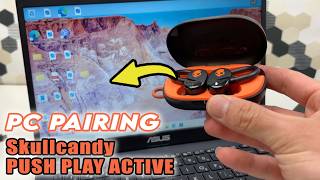
AirPods 5: How to Connect to Googlebook, by WorldofTech on YouTube. 1 min 42 s.
- Video length
- 1 min 42 s
- Time to do it
- 5 minutes
- Difficulty
- Easy
- Steps
- 7
What you need
Steps
Open the AirPods 5 charging case and leave the earbuds inside. Keep the case close to your Googlebook laptop.
On the Googlebook, click the status area in the bottom right corner of the screen to open the quick settings panel.
Click the Bluetooth icon to turn Bluetooth on if it is off. The laptop will start scanning for nearby devices.
Press and hold the button on the back of the AirPods case until the status light flashes white. This puts the earbuds in pairing mode.
In the Bluetooth list on the laptop, find your AirPods 5 and click them to connect.
Wait for the connection to finish, then play a short sound to confirm audio comes through the earbuds.
If the AirPods do not appear or will not connect, factory reset them and repeat the pairing steps.
Tips and common mistakes
Keep the case lid open during pairing, or the earbuds may not be discoverable.
Turn off Bluetooth on other nearby devices so the AirPods do not connect to the wrong one.
If the white light never flashes, charge the case for a few minutes and try again.
Questions
Why don't my AirPods 5 show up on the Googlebook?
Make sure Bluetooth is on and the case lid is open with the earbuds inside. Hold the back button until the light flashes white, then check the list again.
How do I factory reset the AirPods 5?
With the earbuds in the case and the lid open, press and hold the back button for about 15 seconds until the light flashes amber, then white. Pair them again from scratch.
Can I use the AirPods 5 with a Googlebook and my phone at the same time?
Not at the same time. The earbuds connect to one device at a time, so disconnect from one before pairing with the other.
This guide was drafted from the video's details and general task knowledge. It has not been checked against the full video. Check the video and relevant product instructions before following a procedure. Report a correction.