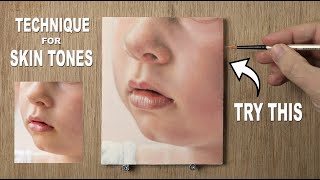
You will learn how to make digital paintings look like real oil or acrylic work by picking the right brush and building up color in layers. It suits beginners and hobby artists who already know the basics of their painting app. You only need a drawing tablet and a painting app with textured brushes.
YouTube video: Digital Oil Painting Tutorial
Caption availability is unknown. Check the CC control in the YouTube player.
Choose a chapter (5)
- Video length
- 8 min 38 s
- Time to do it
- 30 minutes
- Difficulty
- Easy
- Steps
- 8
What you need
Steps
Open your painting app and create a new canvas at a decent size, around 2000 by 2000 pixels, so the brush texture has room to show.
Pick a textured brush that mimics bristles or canvas grain instead of a smooth airbrush. A rough square or flat brush works well for oil looks.
Block in the big shapes and main colors first with a large brush. Keep it loose and do not zoom in on details yet.
Build up color in layers, going from dark to light. Let each layer stay slightly visible so the strokes read like real paint.
Vary your brush opacity and size as you work. Lower opacity for soft blends and full opacity for bold strokes.
Add small details and highlights last with a smaller brush, keeping edges rough rather than perfectly smooth.
Apply post-processing to finish the look, such as a slight canvas texture overlay, grain or a subtle color adjustment.
Check your painting against a few rules: keep values consistent, avoid over-blending, and step back often to see the whole image.
Tips and common mistakes
Do not over-blend. Leaving visible brush strokes is what makes digital art feel traditional.
Work zoomed out most of the time so you judge the whole picture, not single pixels.
Use a reference of a real oil painting to copy its color and stroke habits.
Keep your layers organized and name them so post-processing is easy to adjust later.
Questions
Do I need special brushes to get a traditional look?
No, but a textured brush helps a lot. Many apps include bristle or canvas brushes, and free brush packs are easy to find.
Can I do this on a phone or tablet?
Yes. Any app with textured brushes and layer support works, though a tablet with a stylus gives more control.
How long should a practice painting take?
A short study of 30 to 60 minutes is enough to practice the layered approach without overworking it.
The notes are drafted automatically from video details and general task knowledge. How the guide was prepared
Report a correction