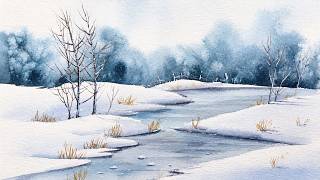
You will sketch, block in color, and build light and values to paint a digital landscape environment. It suits beginner and hobby artists who want a clear concept art workflow. You need a painting app such as Photoshop, a graphics tablet, and about two hours for a finished piece.
YouTube video: How to Paint and Design a Landscape Environment (Digital Painting Tutorial)
Caption availability is unknown. Check the CC control in the YouTube player.
Choose a chapter (9)
- Video length
- 12 min 12 s
- Time to do it
- 2 hours
- Difficulty
- Medium
- Steps
- 8
What you need
Steps
Start with a rough line sketch of the landscape. Set the horizon, main shapes, and the path your eye will follow.
Block in flat base colors under the sketch. Keep the palette simple and separate the sky, ground, and main objects on their own layers.
Decide where the light comes from and paint broad shadows and highlights. Use light and dark values to show form before adding small details.
Pick one focal point, such as a building, tree, or character. Add more contrast and sharper edges there so the eye lands on it first.
Increase the contrast between your lightest lights and darkest darks. Check the image at a small size to see whether the values still read clearly.
Paint the foreground with bigger shapes and stronger texture. Add a few crisp details near the bottom edge to create depth.
Keep the background softer and lower in contrast than the focal area. If you add characters, paint them small and simple so they fit the scene.
Clean up edges, add final highlights, and remove marks that pull attention away from the focal point. Save your file and export a flattened copy.
Tips and common mistakes
Paint on separate layers for sky, ground, and foreground so you can adjust them later.
Flip the canvas or zoom out often to catch proportion and value mistakes.
Do not overdetail the background; soft edges and lower contrast push it back.
Use a pressure sensitive tablet for smoother brush strokes and easier value control.
Questions
Do I need Photoshop to follow this workflow?
No. Any painting app with layers, brush size, and opacity controls can work. Photoshop is a good match because the video tags mention it.
Do I need to be good at drawing?
A basic sketch helps, but you can start with simple shapes and refine them as you paint. Focus on big shapes and values before small details.
How long does a digital landscape painting take?
The creator says the painting process took about two hours. Your time will vary with the amount of detail and your experience.
The notes are drafted automatically from video details and general task knowledge. How the guide was prepared
Report a correction