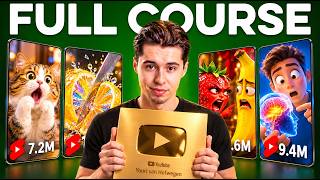
You will build a realistic AI video by picking the right image and video models, writing a structured prompt, and adding camera keywords that sell the realism. It suits anyone who has used an AI video tool once or twice. You need a Seedance 2.5 account and an image generator.
YouTube video: How I Make Realistic AI Videos with Seedance 2.5 - Full Guide
Caption availability is unknown. Check the CC control in the YouTube player.
Choose a chapter (9)
- Video length
- 20 min 27 s
- Time to do it
- 30 minutes
- Difficulty
- Medium
- Steps
- 8
What you need
Steps
Generate a still image before you touch the video model. A strong, realistic frame gives the video model far less to invent on its own.
Choose an image model known for photographic detail. Run the same prompt through two models and compare the frames before you commit to one.
Pick a video model that handles realism well rather than the fastest or cheapest option. Test short clips of the same image across two models.
Write your prompt with the CTLT formula. Keep the parts in the same order every time so your results stay repeatable.
Add the realism keywords covered in the guide to your prompt. Camera, lens and lighting words do more for realism than the word realistic.
Save every prompt in a markdown file as you work, grouped by scene or model. You can then reuse and tweak the ones that gave good clips.
Brainstorm ideas in a batch before you generate anything. Write ten concepts, then keep the three that best suit your image model.
Generate several short clips from the same image, keep the best take, and stitch the winners together in your editor.
Tips and common mistakes
Change one variable at a time, such as lens or lighting, so you can tell what actually improved the clip.
Save the settings and prompt for any clip you like so you can recreate that look later.
Realistic AI video still struggles with hands, text and fast motion, so frame your shots to avoid them.
Keep prompts short and specific. Long prompts with conflicting details tend to produce muddy motion.
Questions
What is the CTLT prompting formula?
It is the four-part prompt structure the creator walks through at 8:39. Follow the order he uses and swap only the subject and scene details between runs.
Why do my AI videos still look fake?
Usually the starting image is weak or the prompt is too generic. Fix the still frame first, then add camera and lighting keywords.
Do I need a paid account?
The guide points to a generation tool you sign up for, so expect credits or a subscription. Check the current pricing on the site before you start.
The notes are drafted automatically from video details and general task knowledge. How the guide was prepared
Report a correction