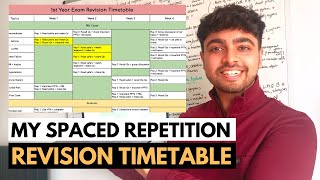
How to study for exams - The Retrospective Revision Timetable, by Ali Abdaal on YouTube. 13 min 43 s.
- Video length
- 13 min 43 s
- Time to do it
- 30 minutes
- Difficulty
- Easy
- Steps
- 9
What you need
Steps
Open Google Sheets and create a blank spreadsheet. Name it after your exam, for example A Level Biology Revision.
List every subject or paper down the first column. Add a second column for the individual topics under each subject.
Add columns for your confidence in each topic, such as a score from 1 to 5, and a date last revised.
Fill in every topic from your syllabus or course outline. Leave the confidence and date columns blank for now.
Colour code each row by confidence using conditional formatting. Red for weak, yellow for shaky, green for solid.
After each study session, update the confidence score and the date for the topics you covered.
Sort or filter the sheet by lowest confidence so the weakest topics rise to the top of your plan.
Each day, pick topics from the top of the sorted list rather than following a fixed hourly schedule.
Review the sheet weekly and move topics up the colours as your confidence improves.
Tips and common mistakes
Be honest with your confidence scores, since an inflated score hides topics you still need to revise.
Update the sheet straight after each session so the dates stay accurate.
Keep the topic list detailed enough to be useful but not so long that updating it becomes a chore.
Questions
Why use a retrospective timetable instead of a normal one?
A normal timetable plans future hours and often falls apart when you fall behind. A retrospective one records what you have actually done and shows where to focus next.
Do I need to pay for Google Sheets?
No. A free Google account gives you Google Sheets in the browser or the mobile app.
How often should I update the confidence scores?
Update them after every study session and do a full review once a week.
This guide was drafted from the video's details and general task knowledge. It has not been checked against the full video. Check the video and relevant product instructions before following a procedure. Report a correction.