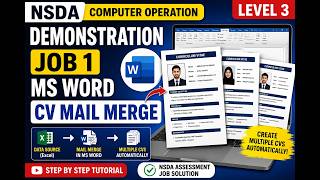
How To Make a Resume? (2026) | [No Experience], by René Delescen on YouTube. 8 min 54 s.
- Video length
- 8 min 54 s
- Time to do it
- 45 minutes
- Difficulty
- Easy
- Steps
- 10
What you need
Steps
Find a job advert you want to apply to on a site like Indeed. Note the exact job title and the skills and duties it lists so you can match your resume to it.
Open Google Docs, sign in, and click Blank to start a new document. Give it a clear name such as Resume followed by your name.
Open File, then Page setup, and set all four margins to about 0.5 to 0.7 inches. This gives you more room on one page.
Select all text and set the font to a clean style like Arial or Calibri at 10 to 11 points. Keep body text smaller than your name.
Type your name in large bold text at the top, then your phone, email and city on the next line. Keep this header simple and easy to read.
Add section headings in bold capitals: Summary, Experience or Activities, Skills, Education and Certificates. Use the ruler and paint format to keep spacing and styling consistent.
Write a two to three line summary naming the job you want and your strongest relevant strengths. Mirror the words used in the job advert.
Under Experience or Activities, list school projects, volunteering, clubs or part-time work. For each, give the role, dates and one or two results with numbers where you can.
List skills that match the advert, such as software, languages or communication. Then add your education with school name, qualification and dates, and any certificates.
Check the resume fits on one page, then go to File, Download and choose PDF document. Save it with a clear name like Firstname-Lastname-Resume.
Tips and common mistakes
Keep the resume to one page when you have little experience, since recruiters skim quickly.
Match the job advert's wording in your skills and summary so applicant tracking systems pick it up.
Use numbers for results, such as 20 members recruited or 3 events organised, to sound concrete.
Always send a PDF, not a Word file, so the layout stays the same on the recruiter's screen.
Questions
Can I make a resume with no work experience?
Yes. Use school projects, volunteering, clubs, part-time jobs and courses to show your skills. Focus on what you did and the results, not on job titles.
Should I use a template or a blank document?
A blank Google Docs file with simple headings is fine and free. Avoid heavy graphics or columns that can break when the file is opened elsewhere.
How long should my resume be?
One page is standard when you have little experience. Cut anything that does not support the job you are applying for.
This guide was drafted from the video's details and general task knowledge. It has not been checked against the full video. Check the video and relevant product instructions before following a procedure. Report a correction.