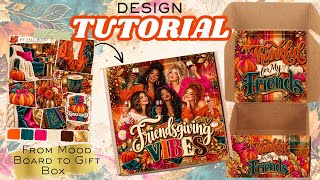
You will build a matching set of AI clipart images by writing one reusable prompt template and locking in a single style and color palette. It suits Etsy sellers, digital product makers and beginners who want a coordinated bundle instead of random one-off images. You need an AI chat account, an image generator and a few hex color codes.
YouTube video: Create CONSISTENT AI Clipart Bundles FAST! 🎨 Prompt Optimizer V2 Tutorial
Caption availability is unknown. Check the CC control in the YouTube player.
- Video length
- 29 min 26 s
- Time to do it
- 1 hour
- Difficulty
- Easy
- Steps
- 9
What you need
Steps
Pick one theme and list 10 items inside it, such as cats, cupcakes or iced coffee cups. A tight theme is what makes the finished bundle look like a set.
Choose one art style and write it as a short reusable phrase, for example soft watercolor, clean edges, soft shading. You will paste this phrase into every prompt unchanged.
Choose 3 to 5 hex color codes that work together and keep them for the whole set. Write each color in words next to the code, like blush pink #F2C4C4, because many generators read words better than codes.
Ask ChatGPT to write 10 prompts from one template: subject, then style phrase, then palette, then background, then no text. Only the subject line should change between prompts.
Read the 10 prompts back and delete anything that drifts, such as a new lighting style or an extra object. Consistency comes from repetition, not variety.
Generate the images one at a time in your image generator with the same aspect ratio and the same settings. Change one variable at a time and keep the rest fixed.
For isolated clipart, ask for a plain white background, no shadow and no border. For a scene group, keep the same background instruction in every prompt instead.
Lay all 10 images side by side and compare them. Regenerate any odd one out using the original prompt, not a rewritten one.
Export each image as a PNG at 300 DPI with a transparent background and name the files by theme and item. Then group them into one bundle folder.
Tips and common mistakes
Most image generators partly ignore hex codes, so always pair the code with a plain color name.
Keep one aspect ratio and one background rule for the whole set or the bundle will look mixed.
Generate a spare image or two per item so you can swap out a weak result without rewriting prompts.
Prompt Optimizer V2 is a paid tool inside a membership, and you can do the same job by saving your own template in a notes file.
Questions
Why does my AI art ignore the hex color codes?
Many image models treat color codes as loose hints and round them to the nearest shade they know. Describe the color in words as well and check each result before adding it to the bundle.
How many images should a clipart bundle have?
Ten coordinated images make a solid small bundle, and 20 to 30 suits a themed set. Keep the style and palette identical as the number grows.
Can I make the prompts without ChatGPT?
Yes. Write the template once by hand and swap only the subject word for each new item. A chat tool just saves typing time.
The notes are drafted automatically from video details and general task knowledge. How the guide was prepared
Report a correction