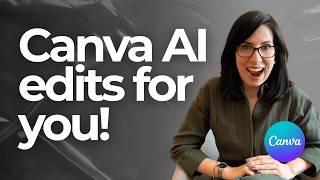
How I Make Clickable YouTube Thumbnails ♡ Canva Tutorial for Beginners, by The Pretti Edit on YouTube. 26 min 56 s.
- Video length
- 26 min 56 s
- Time to do it
- 30 minutes
- Difficulty
- Easy
- Steps
- 9
What you need
Steps
Open Canva and search for the YouTube thumbnail template size, which is 1280 by 720 pixels. Start from a blank design so you control every layer.
Pick one main photo with a clear subject and a simple background. Busy backgrounds make the small thumbnail hard to read on a phone.
Crop the photo so your face or the main object fills most of the frame. Leave space on one side for your text.
Remove the photo background with Canva's Background Remover, or use the eraser tool to clean up the edges.
Add a thick outline or glow around your cutout so it stands out from the background. Keep the outline one solid colour.
Choose a bold, chunky font and keep the text to four to six words. Big text reads better than a full sentence at thumbnail size.
Send your photo in front of the text by right-clicking it and choosing Layer, then Send to Front. Now the subject overlaps the words.
Boost brightness, contrast and saturation with the Adjust tool so the colours pop. Small screens dull everything down.
Download the design as a PNG, then view it at phone size to check the text is still readable before you upload.
Tips and common mistakes
Make two or three thumbnail versions and pick the one that reads best when shrunk to a small size.
Avoid thin fonts and long words, since they turn into a blur on the YouTube home feed.
Keep colours and fonts consistent across your channel so viewers recognise your videos.
Check the bottom right corner for the video length badge and keep important details away from it.
Questions
Do I need Canva Pro for thumbnails?
No. The free plan covers templates, fonts and basic editing. The background remover is a Pro feature, but you can cut out a photo manually with the eraser tool.
What size should a YouTube thumbnail be?
Use 1280 by 720 pixels, which is a 16:9 ratio. Canva's YouTube thumbnail template already uses this size, and the file must stay under 2MB.
Can I make thumbnails on my phone?
Yes. The Canva mobile app has the same templates and tools, though dragging layers is easier on a laptop or desktop.
This guide was drafted from the video's details and general task knowledge. It has not been checked against the full video. Check the video and relevant product instructions before following a procedure. Report a correction.