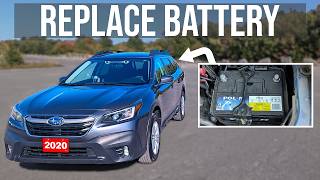
A portable jump box lets you restart a car with a dead battery without needing a second vehicle. This guide suits any driver who keeps a jump starter in the trunk. You need a charged jump box and the car's battery terminals.
YouTube video: How To Jump Start Your Car With A Jump Box
YouTube’s video details do not confirm captions. Check CC in the player for available tracks.
Other videos for this task
- How to jump start a car with a portable jump box 1:40 · 9 written steps
- Video length
- 3 min 7 s
- Time to do it
- 10 minutes
- Difficulty
- Easy
- Steps
- 7
What you need
Steps
Make sure the jump box is fully charged. Check its charge indicator before you rely on it.
Open the hood and locate the battery. Find the positive and negative terminals, marked + and -.
Connect the red clamp to the positive terminal. Wiggle it slightly so it grips the metal post.
Connect the black clamp to a bare metal ground point or the negative terminal. Keep the clamps from touching each other.
Check that the jump box shows a ready light. Then get in and turn the ignition key or press the start button.
Let the engine run for a few minutes. Then remove the black clamp first, followed by the red clamp.
Drive the car for at least 20 minutes. This gives the alternator time to recharge the battery.
Tips and common mistakes
Keep the clamps apart until both are attached, since touching them together can cause sparks.
Never lean over the battery while connecting clamps, as batteries can vent gas.
If the engine still will not start after a few tries, the battery or starter may need a mechanic.
Questions
Can I jump start my car with a jump box in the rain?
Avoid it if possible. Water and electricity do not mix, so move under cover or wait for the rain to stop.
How long does a jump box hold its charge?
Check the instructions for your exact model before choosing this setting or amount. Recharge it every few months so it is ready when you need it.
Do I need to disconnect the battery first?
No. Leave the battery connected and clamp the jump box onto the terminals as they are.
The notes are drafted automatically from video details and general task knowledge. How the guide was prepared
Report a correction