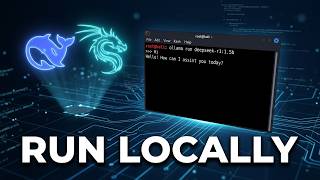
Ollama Tutorial for Beginners 🔥 | Run AI Locally for FREE தமிழில், by AI Coach John (Tamil) on YouTube. 23 min 31 s.
- Video length
- 23 min 31 s
- Time to do it
- 30 minutes
- Difficulty
- Easy
- Steps
- 8
What you need
Steps
Download the Ollama installer for your system from ollama.com and run it. On Windows, double-click the downloaded file and let the setup finish.
Open a new Terminal or Command Prompt window. Type ollama and press Enter to confirm the command is available.
Download a model with ollama pull, for example ollama pull llama3. Wait for the download to finish before you continue.
Start a chat with ollama run llama3. Type your prompt and press Enter to get a reply in the terminal.
Type /bye or press Ctrl+D to leave the chat session. The model stays on disk for the next run.
Check which models you already have with ollama list. Use ollama rm modelname to delete one and free disk space.
To use the model in your own app, keep Ollama running and send requests to its local API on port 11434.
In Python, install the package with pip install ollama, then call ollama.chat with the model name and your messages.
Tips and common mistakes
Pick a smaller model if your machine has 8 GB RAM or less, since large models can be slow or fail to load.
The first run of a model is slower because it has to load into memory.
Keep Ollama running in the background while your app sends API requests.
Local models are limited by your hardware, so expect shorter context and slower replies than cloud services.
Questions
Do I need an API key to use Ollama?
No. Ollama runs models on your own machine, so there is no key and no per-request cost. You only need internet for the initial download.
Which models can I run?
Ollama supports many open models such as Llama, Gemma and Mistral. Choose one that fits your RAM, and check the model page for size guidance.
Can I use Ollama from Python?
Yes. Install the ollama Python package and call ollama.chat with a model name and a list of messages. Ollama must be running in the background.
This guide was drafted from the video's details and general task knowledge. It has not been checked against the full video. Check the video and relevant product instructions before following a procedure. Report a correction.