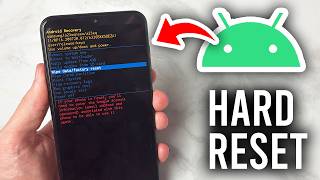
A hard reset returns your Wi-Fi repeater to factory settings, which clears a stuck connection or a forgotten password. This guide suits any repeater with a pinhole or button marked Reset. You need the repeater, a power outlet and a paper clip.
YouTube video: how to hard reset Wi-Fi repeater
Caption availability is unknown. Check the CC control in the YouTube player.
Choose a chapter (5)
- Video length
- 1 min 42 s
- Time to do it
- 5 minutes
- Difficulty
- Easy
- Steps
- 9
What you need
Steps
Plug the repeater into a power outlet and wait for the lights to come on. Do the reset with the device switched on, not unplugged.
Look for a small hole or button marked Reset or RST. It is usually on the back or bottom, near the ports.
Straighten a paper clip or use a thin pin. A pen tip is often too thick for a pinhole.
Press and hold the reset button for about 10 seconds. Keep the pin steady until the lights react.
Watch the indicator lights. They usually flash or go off and come back on, which shows the reset has started.
Release the pin and wait 1 to 2 minutes while the repeater restarts. Do not unplug it during this time.
Check the lights again. A steady power light and a blinking or steady Wi-Fi light mean the factory settings are back.
Connect to the default Wi-Fi name printed on the label. The default address is often 192.168.11.1.
Open a browser, go to that address and log in with the default username and password from the label. Set the repeater up again.
Tips and common mistakes
A quick tap only reboots the repeater, so hold the button for the full 10 seconds.
If nothing happens, check the repeater is plugged in and try a thinner pin.
A reset erases your Wi-Fi name and password, so have your router password ready before you start.
Note the default SSID and IP address from the label before you change any settings.
Questions
How long should I hold the reset button?
Hold it for about 10 seconds while the repeater is powered on. Release it when the lights flash or change.
What if I cannot find the reset button?
Look for a small pinhole marked Reset or RST on the back or bottom. Some models hide it behind a tiny cover.
Does a reset change my Wi-Fi password?
Yes. It clears your settings and brings back the factory Wi-Fi name and password printed on the label.
The notes are drafted automatically from video details and general task knowledge. How the guide was prepared
Report a correction