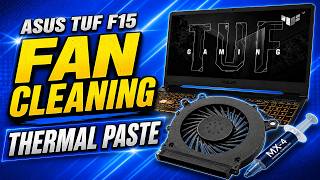
Fix Noisy Laptop Fan in Minutes! 🔧💻 #TechTips, by hpdoctor on YouTube. 2 min 14 s.
- Video length
- 2 min 14 s
- Time to do it
- 15 minutes
- Difficulty
- Easy
- Steps
- 9
What you need
Steps
Save your work and shut the laptop down completely. Unplug the charger and any USB devices so nothing can power on while you work.
Look over the vents on the sides and bottom. Shine a torch at an angle so you can see how much dust is packed into the grilles.
Hold the can of compressed air upright and give short two to three second bursts into the exhaust vent. Long blasts spray cold liquid.
Blow air through the intake vents on the bottom too. Move along the grilles in short bursts rather than holding the nozzle in one spot.
If the noise continues and your model has a removable back panel, undo the screws and lift it off. Keep the screws in order.
Hold the fan blades still with a soft brush and blow short bursts across the fins. Stopping the spin protects the bearing.
Wipe dust off the fan blades and heatsink fins with a dry cloth or soft brush. Never use water or cleaning sprays inside the case.
Refit the back panel and screws, then start the laptop. Listen at idle first, then open a heavy program and listen again.
If the fan still rattles, ticks or grinds, the bearing is worn. A replacement fan for most laptops is cheap and uses the same screws.
Tips and common mistakes
Do not press a household vacuum nozzle against the vents, as static can damage the components inside.
Keep the compressed air can upright and never shake it, or propellant will spray onto the board.
Set the laptop on a hard flat surface, not a duvet or cushion, so the vents can breathe.
Clean the vents every six to twelve months before the dust builds into a solid mat.
Questions
Can I clean the fan without opening the laptop?
Yes, short bursts of compressed air through the vents will clear loose dust and quieten most fans. Dust packed against the heatsink inside the case usually needs the back panel off to shift.
How do I know if the noise is dust or a broken fan?
Dust gives a whooshing roar that rises and falls with what you are running. A worn bearing gives a rattle, tick or grind that keeps going even when the laptop is idle.
Will compressed air damage the fan?
It can if you let the blades spin freely at high speed. Hold the fan still with a soft brush or your fingertip while you blow air across it.
This guide was drafted from the video's details and general task knowledge. It has not been checked against the full video. Check the video and relevant product instructions before following a procedure. Report a correction.